Wide-Angle Correction for Listing Photos, Without Distortion
The 0.5x lens on your phone fits the whole HDB bedroom in one shot, but it also bends the walls, stretches the floor and makes furniture near the edges look huge. Buyers have learned to distrust these photos. Here is how to shoot wide without the distortion, and how to correct photos you already have.
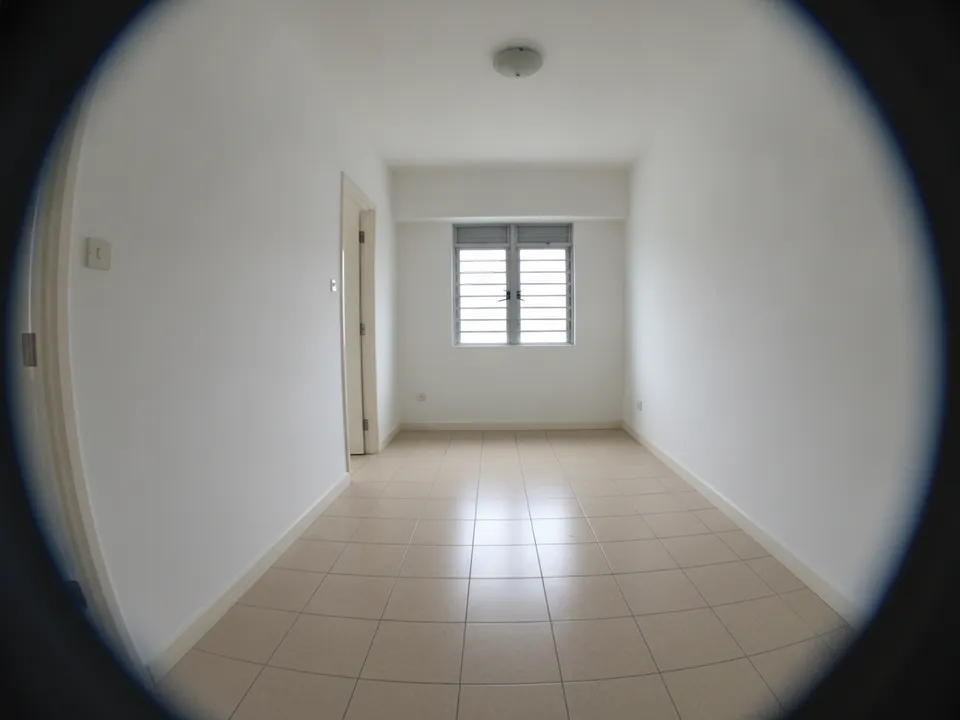
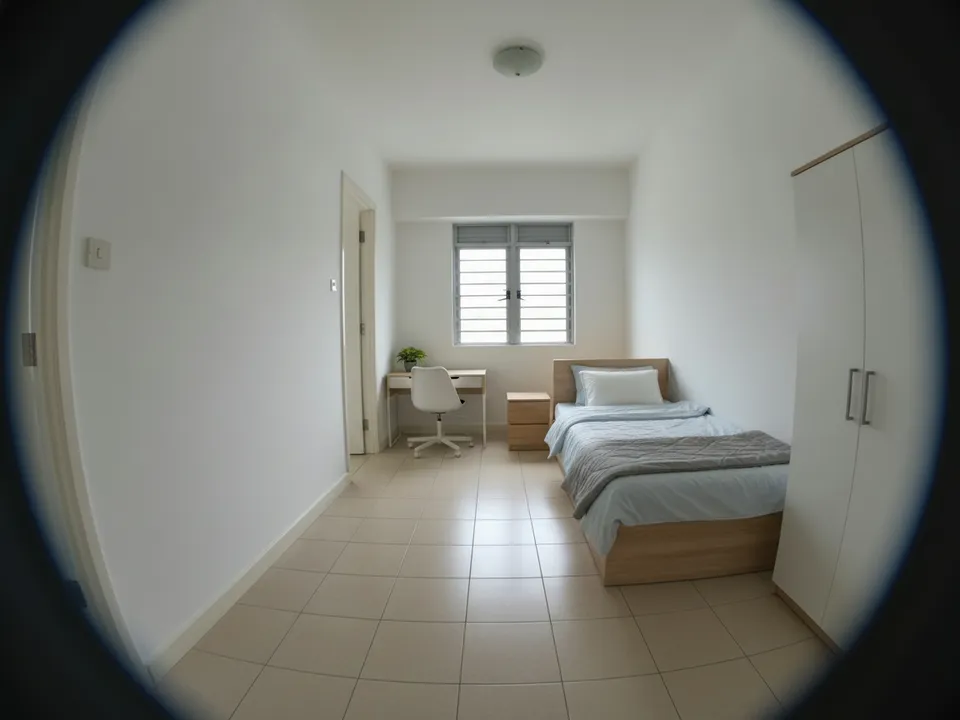
Ultra-wide photo of an HDB common bedroom with bent walls, corrected and then lightly staged Drag to compare. AI-generated example for illustration, not a real listing.
Why ultra-wide photos backfire
Ultra-wide lenses exaggerate depth: the near floor looks long, the far wall looks distant, and vertical lines lean outward at the edges. A 3 m common bedroom can look like a hall. Buyers arrive at the viewing, find a smaller room, and feel misled even if you meant no harm.
Shoot it right first
- Use the 0.5x lens only for tight spaces like bathrooms, kitchens and service yards; use 1x for living rooms
- Hold the phone level at chest height, not tilted up or down
- Shoot from a corner or doorway, with the main wall square to the camera
- Keep furniture and doors away from the frame edges, where stretching is worst
- Take a 1x photo of each room as well, as a true-scale reference
Correct the photos you already have
Wide-angle correction straightens converging verticals and pulls in stretched edges, so the room looks closer to how it feels in person. After correcting, compare with the 1x shot or the floor plan: door and window proportions should look normal, and the room should not look bigger than its actual size.
Correction does not change the room, so it is a different kind of edit from staging. But do not push it so far that walls or windows change shape.
Then stage, if needed
Correct before you stage. Staging on a distorted photo produces furniture that is distorted too, and the scale looks wrong. Label staged results "Virtually staged" and keep the original. PropertyGuru requires interior photos to show actual condition, so check each portal's rules before using staged images; corrected-only photos are usually closer to what portals expect.
Doing it with PostAI
PostAI's AI Image Studio includes wide-angle correction alongside virtual staging, at 1 credit (about S$1.50) per photo. New accounts get 6 free credits, enough to fix and stage the worst-distorted rooms of a listing.
Stage your own listing photos free
New PostAI accounts get 6 free credits: that is 6 staged photos, no credit card.
Stage 6 photos free See real resultsQuestions agents ask
Is using a wide-angle lens misleading?
Not by itself, but strong distortion can make rooms look bigger than they are. Correct it, and use 1x for larger rooms.
Does wide-angle correction count as editing the room?
It fixes lens distortion rather than changing the room. Check that doors and windows keep their real proportions afterwards.
Should I correct before or after staging?
Before. Staging on a distorted photo makes the furniture distorted as well.
Which rooms need correction most often?
Small rooms shot on the 0.5x lens: HDB common bedrooms, bathrooms, kitchens and service yards. Living rooms shot at 1x usually need little or none.
Related
virtual-staging/wide-angle · v1 · Book a free Zoom walkthrough