Fixing Dark and Night-Time Listing Photos
Sometimes the only slot the owner or tenant gives you is after work, and the photos come out yellow, grainy and gloomy. Dark photos make rooms look smaller and older than they are. This guide covers what you can fix, what you should reshoot, and where honesty limits the edits.
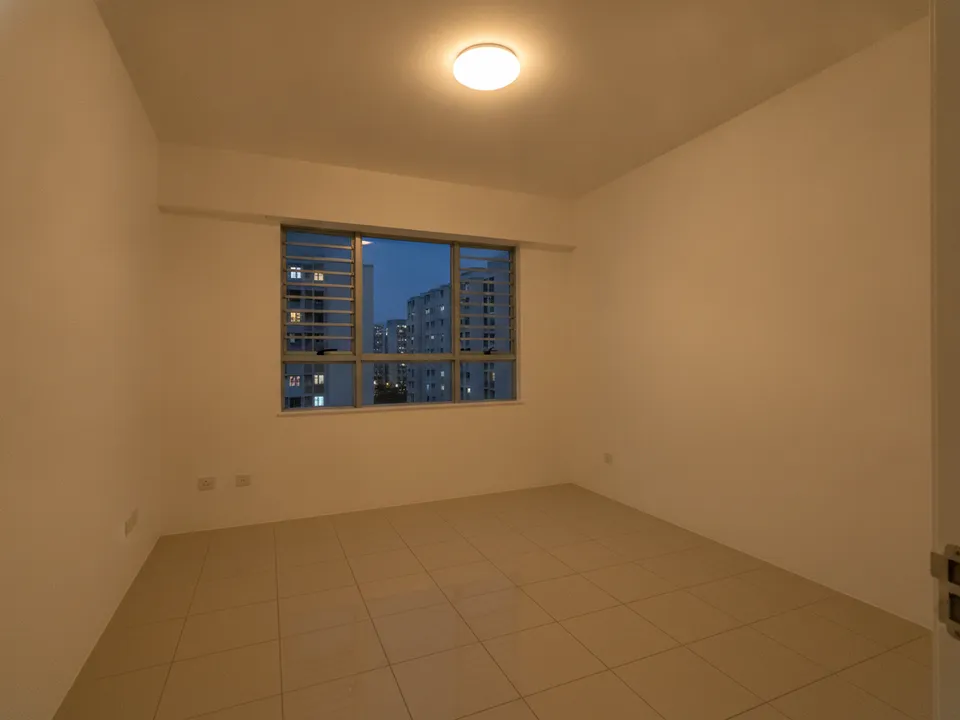
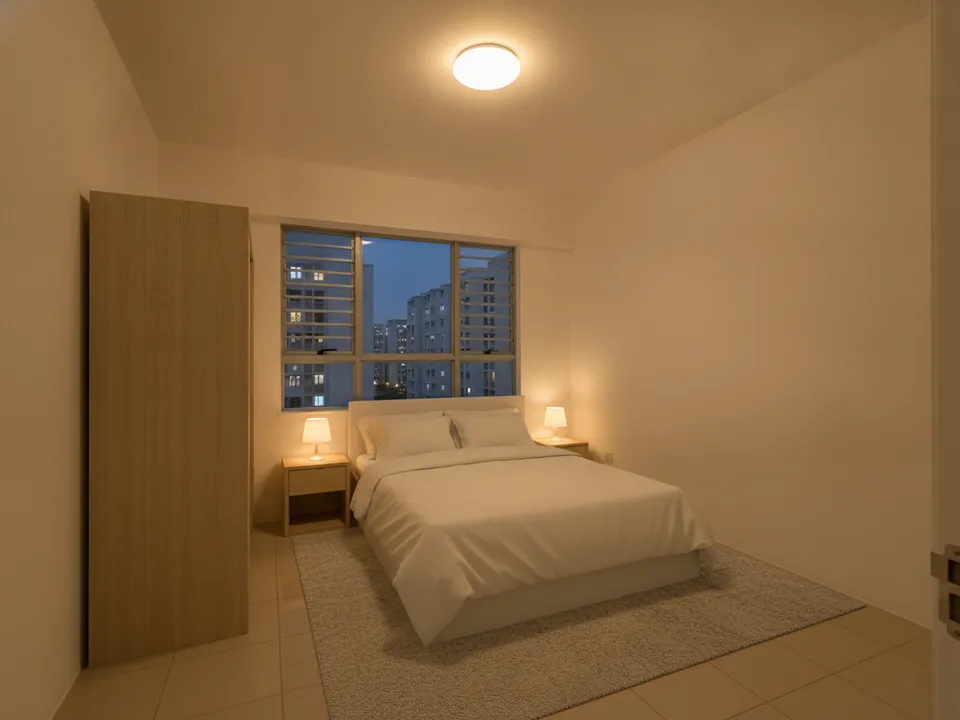
Dim evening photo of an empty HDB bedroom, staged with balanced indoor lighting while the window stays as shot Drag to compare. AI-generated example for illustration, not a real listing.
The best fix is the light you shoot with
If you can return in daylight, do. Book the shoot for the time the main rooms get the most natural light, which depends on the unit's facing. If you must shoot at night, turn on every light including kitchen and bathroom lights, switch off the TV, and hold the phone steady against a door frame to reduce blur. Avoid flash, which creates hard shadows and glare on tiles and glass.
Simple rescues for dim photos
- Adjust exposure and white balance so white walls look white, not orange
- Straighten verticals; a tilted dark photo looks doubly amateur
- Scale up low-resolution or noisy shots before any staging
- Crop out black window areas at night where they add nothing
- Stage the room so it reads as a lived-in space rather than an empty dim box
What you must not fake
Brightening an underexposed photo is fine. Turning a night shot into a sunny view, adding sunlight to a room that does not get any, or replacing a black window with a pleasant daytime outlook is not, because facing, light and view are things buyers pay for. CEA expects advertising not to be misleading. If a room is genuinely dim, say so, or describe how it is lit in the description.
Label and keep originals
Mark staged images "Virtually staged" and keep the original photo in the set. PropertyGuru requires interior photos to show the actual condition, so check each portal's rules before uploading staged or heavily edited images. For social posts and videos, labelled staged images are fine.
Tools that help
PostAI's AI Image Studio can scale up a weak photo and then virtually stage it, at 1 credit (about S$1.50) per photo. A bright, steady original always stages better, so treat these tools as a rescue, not a replacement for a daylight reshoot. New accounts get 6 free credits to test on your darkest photos.
Stage your own listing photos free
New PostAI accounts get 6 free credits: that is 6 staged photos, no credit card.
Stage 6 photos free See real resultsQuestions agents ask
Can I make a night photo look like daytime?
Brightening exposure is fine, but do not add sunlight or a daytime view that is not in the original. Light and view are part of what buyers are paying for.
Should I use flash for interior photos?
Usually not. Flash causes harsh shadows and glare on tiles and windows; turn on all room lights and steady the phone instead.
Will staging fix a dark photo?
It helps a dim room read as a home, but a brighter original always gives a better result. Reshoot in daylight if you can.
Related
virtual-staging/night-to-day · v1 · Book a free Zoom walkthrough