Virtual Staging for Dark, Small Room Photos
Compact common bedrooms, study rooms and older-flat bedrooms with small windows tend to photograph dark and cramped. Buyers assume they are smaller than they are. This page covers what you can fix in the shoot, what editing can fix, and what staging adds.
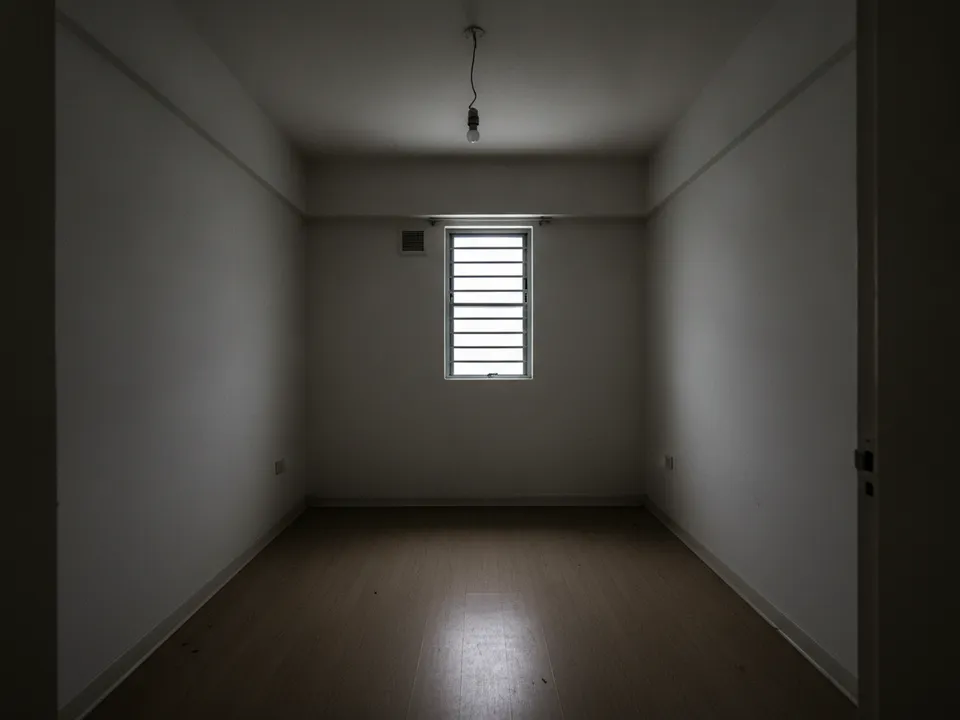
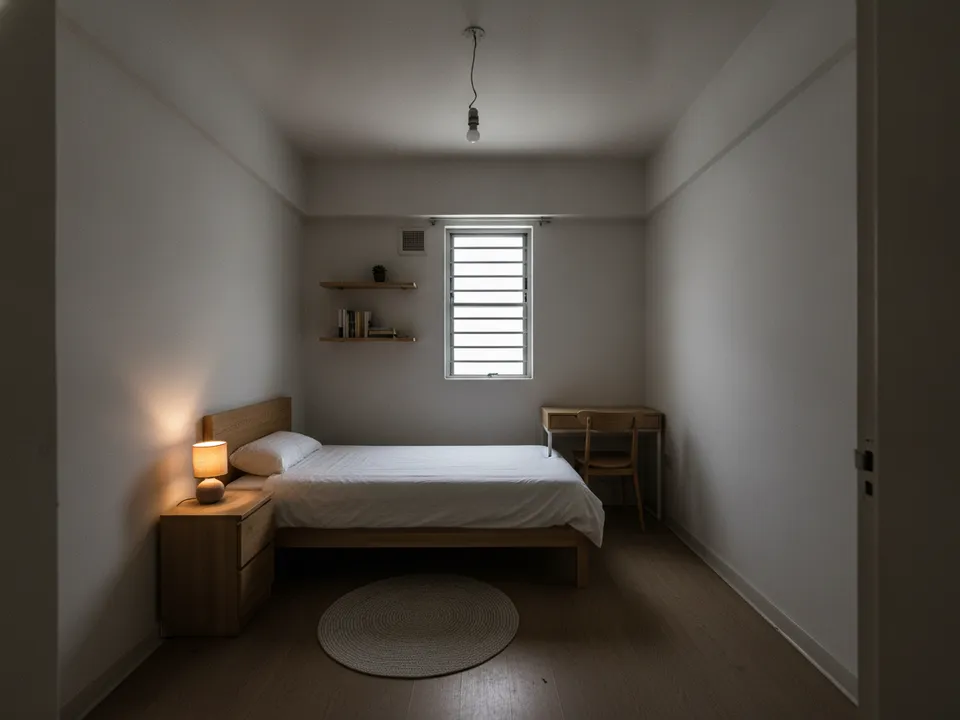
A dark small HDB bedroom with one window, brightened and staged with compact furniture Drag to compare. AI-generated example for illustration, not a real listing.
Why small dark rooms photograph badly
Phone cameras struggle with a bright window and a dim room. They expose for the window, the room goes murky, and the corners disappear. In a small room, standing too close also means a fisheye feel, with bent walls and a bed that looks enormous.
The result is a photo that undersells a perfectly usable room, often the third bedroom that makes a flat suitable for a family.
Fix what you can at the shoot
- Shoot in late morning or early afternoon, curtains fully open
- Switch on every light, including the bathroom next door if the door is open
- Stand in the doorway or a corner, phone at chest height, not tilted
- Use the 1x lens; the 0.5x ultra-wide distorts small rooms
- Remove large dark items such as a black office chair before shooting
Then edit and stage
After the shoot, three tools help: brightening to recover a dark photo, wide-angle correction to straighten walls, and virtual staging to show realistic furniture scale. The furniture choice matters. In a small room, use a single or super single bed, light colours, legs on furniture and a wall-mounted shelf rather than a big cabinet.
PostAI's AI Image Studio offers wide-angle correction, image scale-up and virtual staging, at one credit per photo, with 6 free credits on a new account.
Brighten, but do not mislead
Making a room look evenly lit is fair; making it look like it has a bigger window or a different view is not. Keep the window size, walls and room dimensions exactly as they are. Label staged images and include the original. PropertyGuru expects interior photos to show actual condition, so check portal rules before using staged images there. Note the room size in the listing so buyers can compare.
Stage your own listing photos free
New PostAI accounts get 6 free credits: that is 6 staged photos, no credit card.
Stage 6 photos free See real resultsQuestions agents ask
Can I brighten listing photos?
Yes, correcting exposure is normal. Do not change window size, the view or room dimensions.
What bed size should I stage in a small room?
Use a single or super single in compact rooms so the scale stays realistic.
Does the ultra-wide lens help small rooms?
It shows more, but bends walls and exaggerates size. Use the 1x lens or correct distortion afterwards.
What if the room has no natural light?
Say so honestly, light it well, and stage it for a use that suits it, such as a study or storeroom.
Should I scale up a blurry low-light photo?
Image scale-up can sharpen a soft photo, but reshooting in better light usually gives a cleaner base for staging.
Related
virtual-staging/dark-small-room · v1 · Book a free Zoom walkthrough