How to Shoot Phone Photos That Stage Well
Virtual staging is only as good as the photo you start with. A tilted, dark or ultra-wide shot gives the AI less to work with and produces furniture at odd angles. These steps help you shoot HDB, condo and landed rooms on a phone so they stage cleanly the first time.
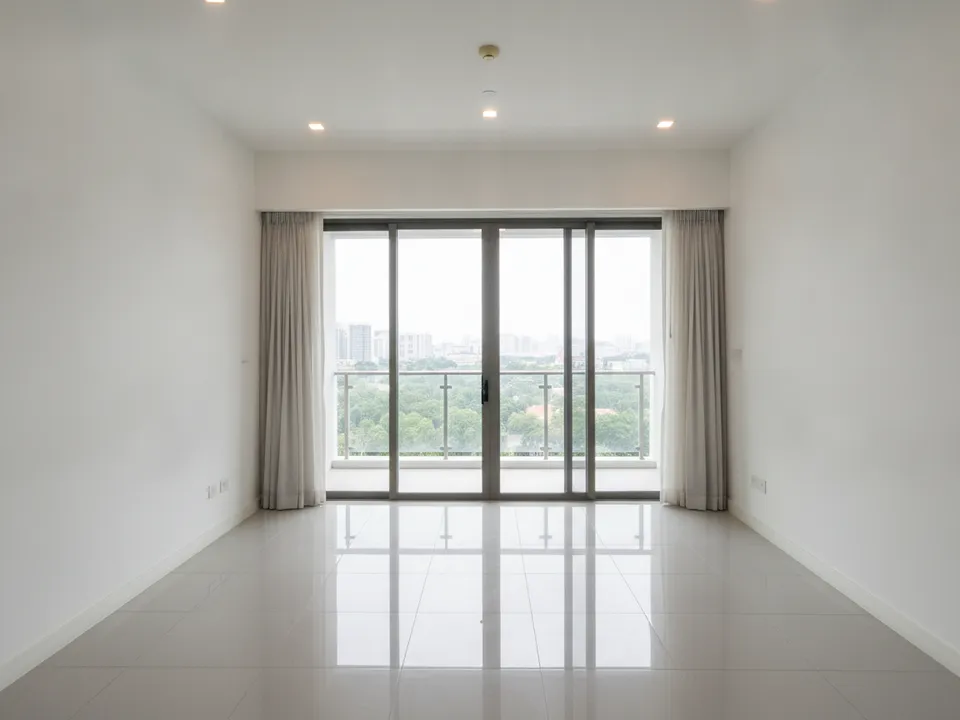
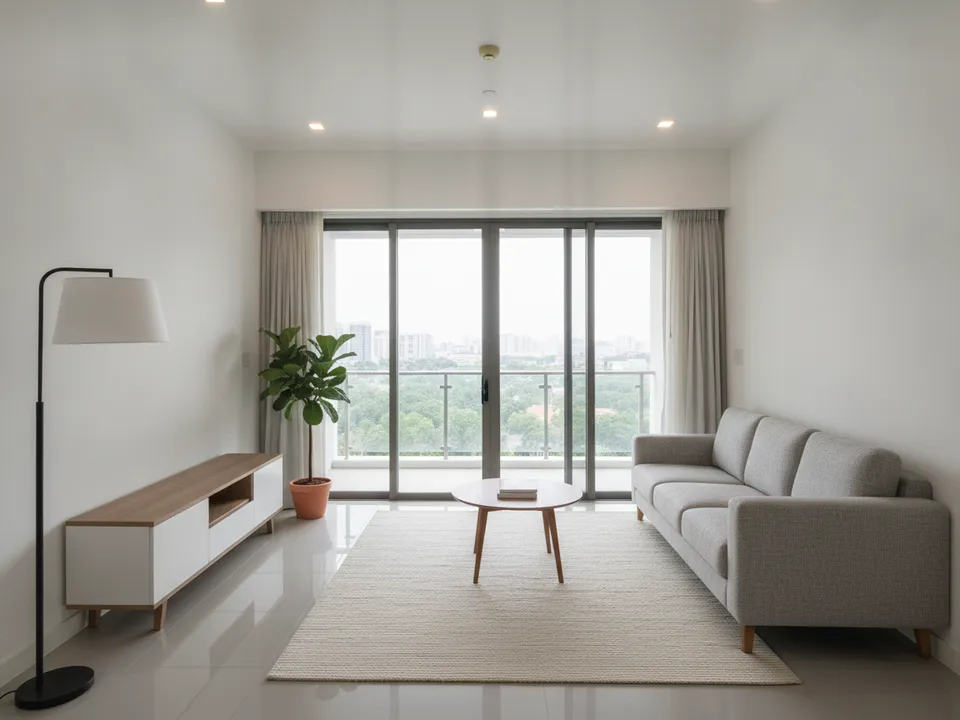
A level, well-lit phone photo of an empty condo living room and its staged version Drag to compare. AI-generated example for illustration, not a real listing.
Before you start
- Shoot between late morning and mid afternoon for even daylight
- Open curtains and blinds fully, switch on every light
- Clean the phone lens; fingerprints cause haze
- Turn off HDR effects that look unnatural, or check that they look realistic
- Close toilet seats, remove bins and hide cables from the floor
Height and angle
Hold the phone at chest height, roughly 1.2 to 1.5 metres, and keep it level. Tilting up or down makes vertical lines lean, and staging tools then place furniture on a sloping floor. Turn on the grid in your camera app and line up a door frame or wall edge with it.
Shoot from the doorway or a corner so you capture two walls and the floor. For a living room, a corner shot that includes the main window usually works best.
Lens and framing
Use the 1x main lens where possible. The 0.5x ultra-wide shows more but bends walls and stretches the floor, which makes staged furniture look out of scale. In a small HDB bedroom you may need the ultra-wide; if so, keep the phone level and correct distortion afterwards.
Leave visible floor in the frame. Staging needs floor to place a sofa or bed on, and a shot that cuts off at the knees gives the AI no ground to work with.
Photos that stage well, room by room
Living room: from the corner opposite the main window. Bedroom: from the doorway, with the window in view. Dining area: from the living room, showing how it connects. Kitchen and bathrooms: shoot them straight, since they are usually not staged. Landed homes: take an extra shot of the double-height space or staircase.
After the shoot
Upload your best shot of each room to PostAI's AI Image Studio for virtual staging, wide-angle correction or scale-up. One credit per photo, and new accounts get 6 free credits. Keep the originals, label staged versions, and check portal rules, since PropertyGuru expects interior photos to show actual condition. Never use editing to hide defects.
Stage your own listing photos free
New PostAI accounts get 6 free credits: that is 6 staged photos, no credit card.
Stage 6 photos free See real resultsQuestions agents ask
What height should I hold my phone?
About chest height, roughly 1.2 to 1.5 metres, and keep it level.
Should I use the ultra-wide lens?
Only in very small rooms. It bends walls, so correct the distortion afterwards.
Do I need a tripod?
Not necessarily, but holding the phone level with the grid on matters more than any accessory.
What time of day is best?
Late morning to mid afternoon usually gives even light in Singapore homes.
Related
virtual-staging/how-to-take-photos · v1 · Book a free Zoom walkthrough