Virtual Staging When There Is No Showflat Yet
Before a showflat opens, or when your buyer's unit type is not built in it, buyers have only a brochure and a floor plan to go on. Agents who can show something closer to a real room get the early conversations. This page explains what you can prepare and how to label it.
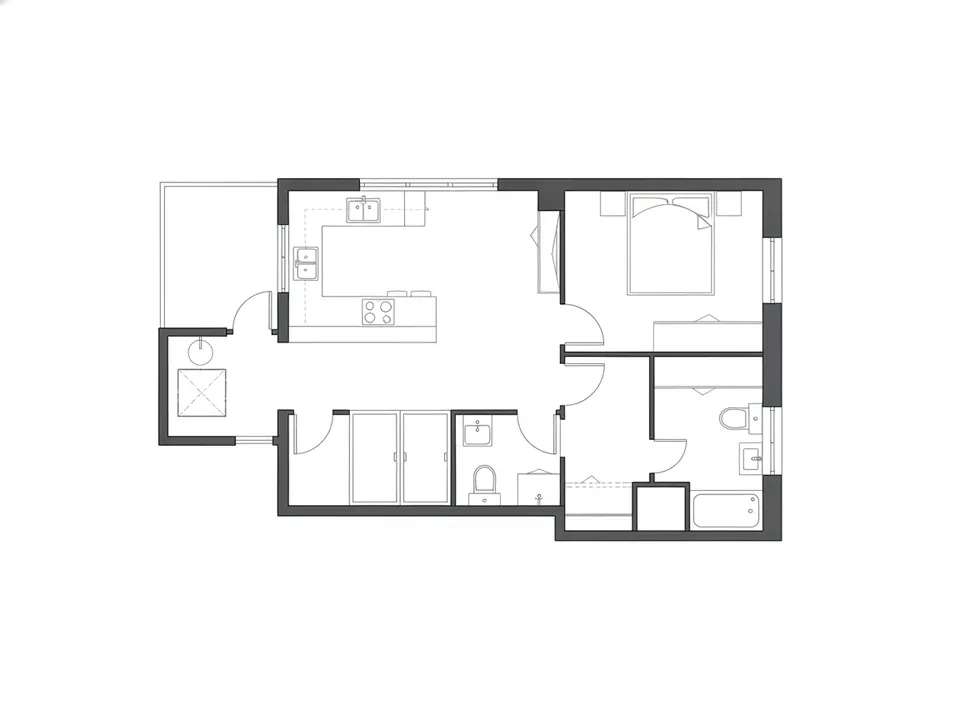
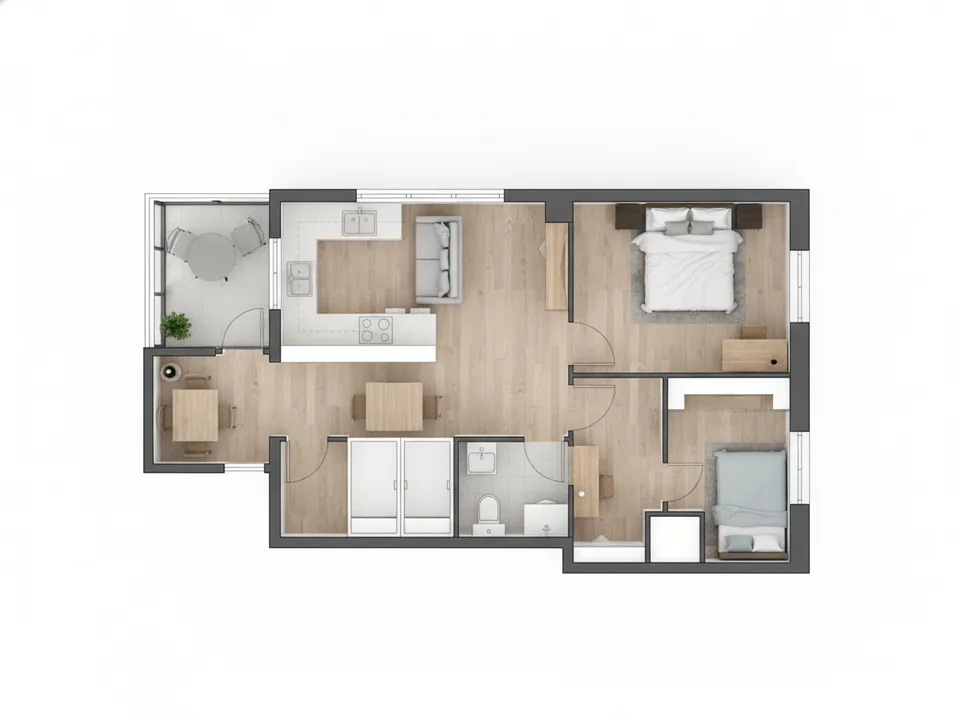
A 2D floor plan of a compact 2-bedroom unit turned into a 3D render before the showflat is ready Drag to compare. AI-generated example for illustration, not a real listing.
The gap before the showflat
Developers usually build showflats for only a few unit types, and preview periods can start with limited materials. A buyer interested in a 2-bedroom compact or a ground-floor unit with a PES may never see anything like it until completion.
Without visuals, the conversation stays on price per square foot. With a clear render, buyers start talking about where their furniture goes, which is a more productive conversation.
What you can prepare
- A furnished 3D top-down render of each relevant unit type, from the official floor plan
- Staged images of comparable rooms, clearly marked as illustrations, not the actual unit
- A collage cover that combines the render, location map and facilities, for portals and social posts
- Real photos of the site, surroundings and the MRT or amenities nearby
Stay within the facts
Use only official materials: the floor plan, area, and developer specifications. Do not invent finishes, views or room sizes. If you stage an illustrative room, avoid putting a specific view outside the window that the actual stack might not have.
Caption every visual as an artist's impression for illustration, with furniture not included, and keep the original floor plan next to it. CEA expects property advertising not to mislead, and developers often have their own rules on how agents market their projects, so check with the developer's sales team.
Building the set with PostAI
PostAI's AI Image Studio can turn a 2D floor plan into a 3D render, stage rooms and create a collage cover. One credit per image, and new accounts get 6 free credits, enough for a few unit types plus a cover image.
Portals such as PropertyGuru have their own image rules for new launch listings, so check them before uploading renders. For WhatsApp follow-ups, social posts and video, labelled renders are the practical way to fill the gap.
Stage your own listing photos free
New PostAI accounts get 6 free credits: that is 6 staged photos, no credit card.
Stage 6 photos free See real resultsQuestions agents ask
Can I use the developer's floor plan?
Use official materials and check the developer's rules for agent marketing before publishing.
Is a render the same as a showflat photo?
No. It is an illustration of the layout with sample furniture, so label it as an artist's impression.
Should I show a view outside the window?
Avoid it, because the actual view depends on the stack and floor.
How long does a render take?
It is generated in the app from your uploaded plan, so you can prepare a set the same day.
Related
virtual-staging/showflat-not-ready · v1 · Book a free Zoom walkthrough