Using Staged Photos on PropertyGuru and 99.co Listings
Portals are where most serious buyers in Singapore compare units, so your photo set matters. But portals also set their own rules on what interior photos may show. This guide explains how to use staged photos on PropertyGuru and 99.co carefully, and where else they work better.
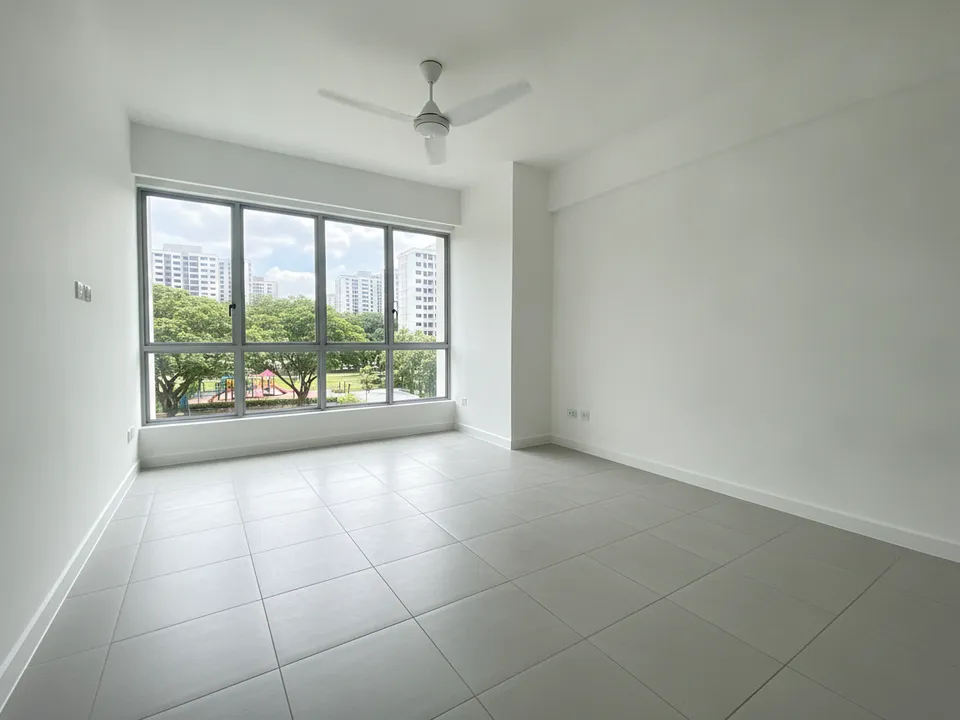
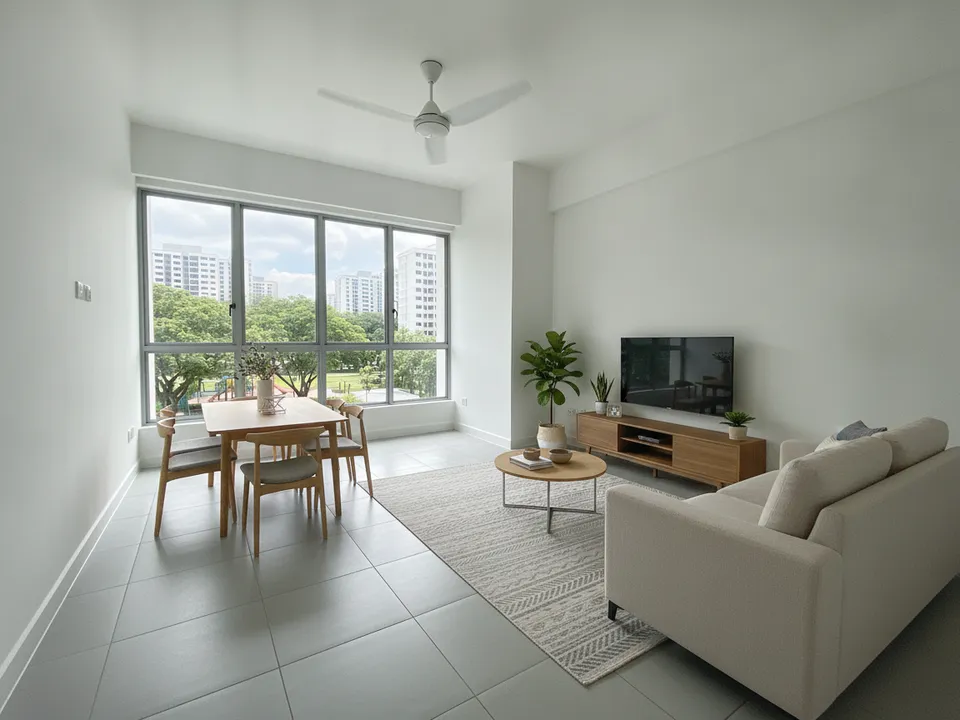
Empty HDB 5-room living room as a real portal photo, and the labelled staged version for social posts Drag to compare. AI-generated example for illustration, not a real listing.
Know the rule before you upload
PropertyGuru's listing rules require interior photos to show the unit's actual condition. That means a fully staged photo of an empty unit can conflict with the rules if it is presented as the real interior. Rules change and differ between portals, so read the current photo guidelines for PropertyGuru and 99.co yourself before you upload any edited image.
When in doubt, lead with real photos on the portal and use staged images where the rules clearly allow them, or as clearly labelled extras.
A safe photo set for a portal listing
- Real, well-lit photos of every room as the main set
- Wide-angle corrected and brightened versions are usually fine, since the room itself is unchanged
- Staged images, if the portal permits, clearly labelled "Virtually staged" on the image and placed beside the original
- A floor plan or 3D floor plan render to explain the layout
- No staged image that hides defects, changes the view, or alters walls, windows or floor area
Write the caption to match
In the listing description, say plainly which images are virtually staged and that furniture is not included. A line like "Photos 9 to 12 are virtually staged to show possible layouts; unit is sold empty" prevents an awkward conversation at the viewing. CEA expects property advertising not to be misleading, and the description is part of the advertisement.
Where staged photos do the heavy lifting
Your own channels have more room. On Facebook, Instagram, TikTok and Xiaohongshu, in WhatsApp broadcasts, brochures and tour videos, labelled staged photos help buyers picture an empty or tired unit as a home. Use the portal for accurate comparison and social channels for imagination, and link the two.
Preparing the images
PostAI's AI Image Studio handles staging, wide-angle correction, image scale-up and collage covers, so you can produce both the honest portal set and the labelled staged set from one shoot. Each photo is 1 credit (about S$1.50), and 6 free credits come with a new account.
Stage your own listing photos free
New PostAI accounts get 6 free credits: that is 6 staged photos, no credit card.
Stage 6 photos free See real resultsQuestions agents ask
Can I upload virtually staged photos to PropertyGuru?
PropertyGuru's rules require interior photos to show the actual condition, so check its current guidelines before uploading staged images. Real photos as the main set is the safe default.
Does 99.co have the same rules?
Each portal sets its own rules and they change, so read 99.co's current photo guidelines directly rather than assuming they match PropertyGuru.
Is brightening or straightening a photo a problem?
Correcting exposure or lens distortion does not change the unit itself, which is generally treated differently from adding furniture. Do not let it change room proportions or the view.
How should I label staged photos?
Put "Virtually staged" on the image itself and mention it in the description, so the label survives if the image is shared elsewhere.
Related
virtual-staging/propertyguru-listing-photos · v1 · Book a free Zoom walkthrough