Which Photo to Stage First: Getting the Cover Image Right
If you only stage one photo, make it the one buyers see first. The cover image decides whether someone taps into your listing or keeps scrolling past the twenty other 4-room flats in the same town. This guide helps you choose that photo and stage it well.
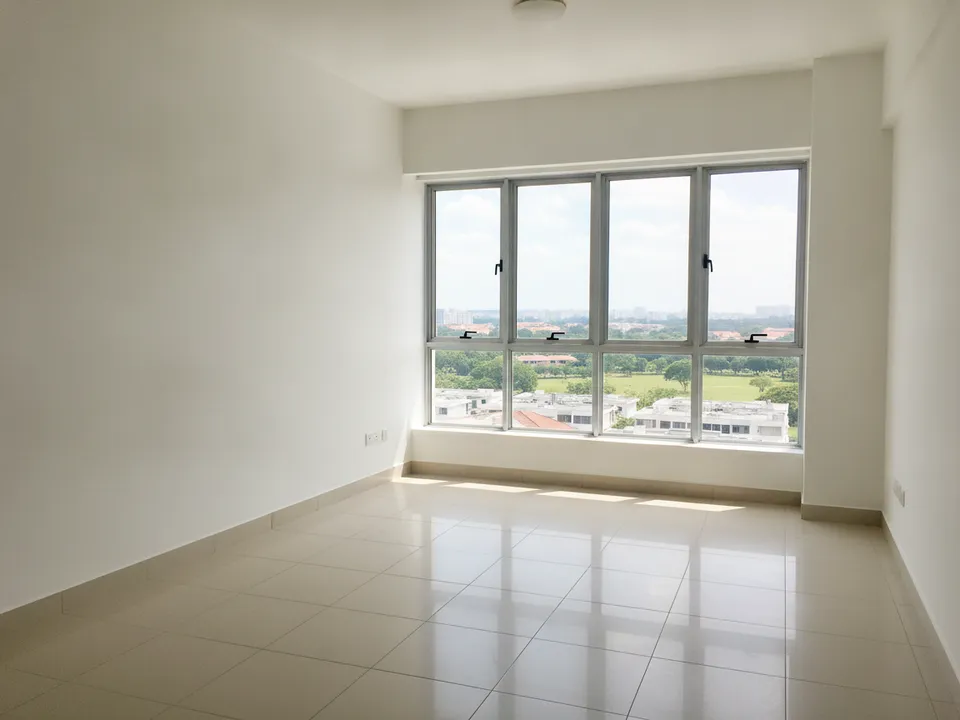
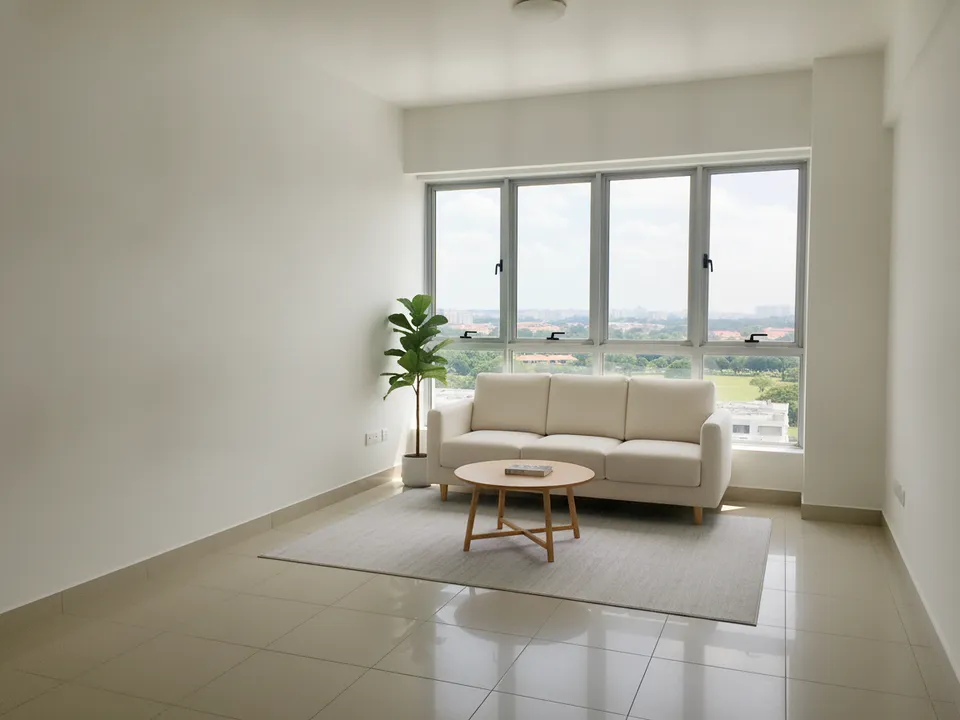
Empty high-floor HDB living room facing the window, staged lightly so the view stays the hero Drag to compare. AI-generated example for illustration, not a real listing.
Why the cover matters most
In search results, social feeds and WhatsApp previews, buyers see one small image before anything else. Your price, size and description only get read if that thumbnail earns the tap. Every other photo in the set is seen by fewer people than the first.
How to choose the cover room
Pick the room that shows the unit's main selling point. Usually that is the living room, because it is the largest space and often has the window and view. But follow the unit:
- High-floor or unblocked view: the living room shot facing the window
- Renovated kitchen in an HDB resale: the open kitchen and dining
- Condo with a big balcony: living room looking out through the balcony door
- Landed home: the double-volume living room or the garden patio
- Small 2-room Flexi or studio: the widest corner shot of the whole space
Shoot it to stage well
Shoot from a corner or doorway at chest height, phone level, with the window in frame but not blown out. Shoot in landscape for portals and also in portrait for Reels and TikTok, since a cropped landscape photo loses the furniture. Turn on every light and open the curtains. A bright, straight original stages far better than a dark, tilted one.
Stage it for the thumbnail
At thumbnail size, buyers read shapes, not details. Use a few large, simple pieces in a light palette, such as a sofa, rug and coffee table, rather than lots of small decor. Keep the floor visible so the room still reads as spacious, and leave the window view untouched.
Label it "Virtually staged" where it will stay legible, and keep the original photo in the set. If the portal needs actual-condition photos, as PropertyGuru does, use a corrected real photo as the portal cover and the staged one for social and video.
Start with your free credits
With PostAI, staging the cover costs 1 credit (about S$1.50), and new accounts get 6 free credits. That covers the cover plus the next most important rooms on your first listing. For portal grids, the collage cover option can combine several rooms into one image where allowed.
Stage your own listing photos free
New PostAI accounts get 6 free credits: that is 6 staged photos, no credit card.
Stage 6 photos free See real resultsQuestions agents ask
Should the cover always be the living room?
Usually, but choose the room with the unit's strongest feature. A great kitchen, garden or view can beat an ordinary living room.
Can the staged photo be my portal cover?
Only if the portal's rules allow it. PropertyGuru requires interior photos to show actual condition, so check before using a staged cover there.
Landscape or portrait for the cover?
Shoot both. Portals mostly use landscape, while Reels, TikTok and WhatsApp Status are vertical.
Related
virtual-staging/first-photo-cover · v1 · Book a free Zoom walkthrough