Disclosing Virtually Staged Photos: What Agents Should Do
Virtual staging is a marketing tool, and like any marketing it must not mislead buyers or tenants. CEA expects property advertising to be accurate, and portals set their own photo rules on top. This guide gives practical steps for disclosing staged photos so you get the benefit without the risk.
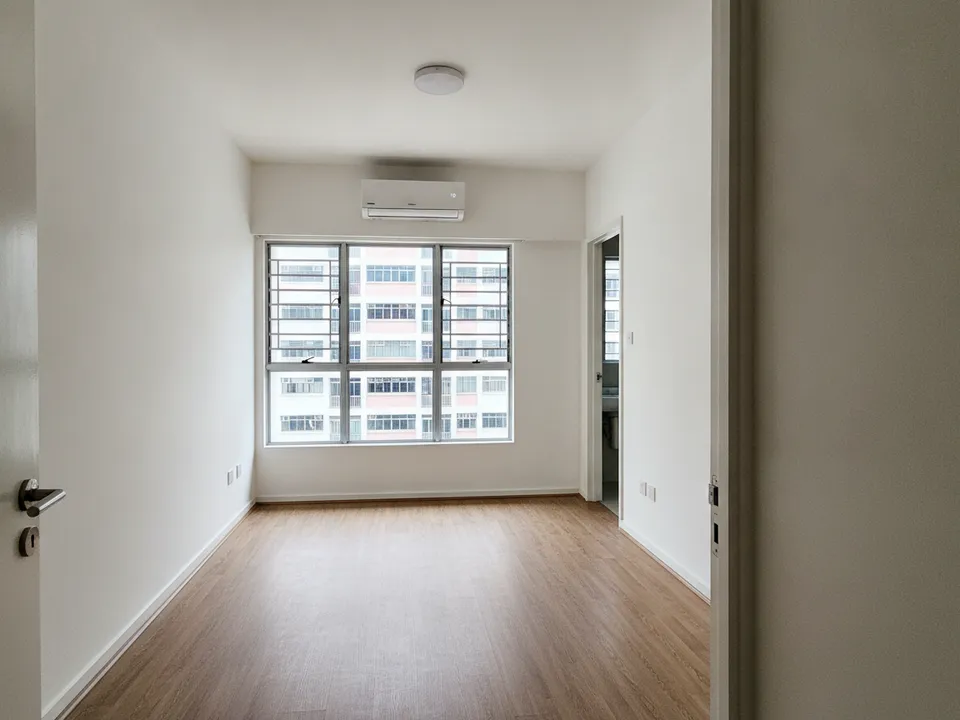
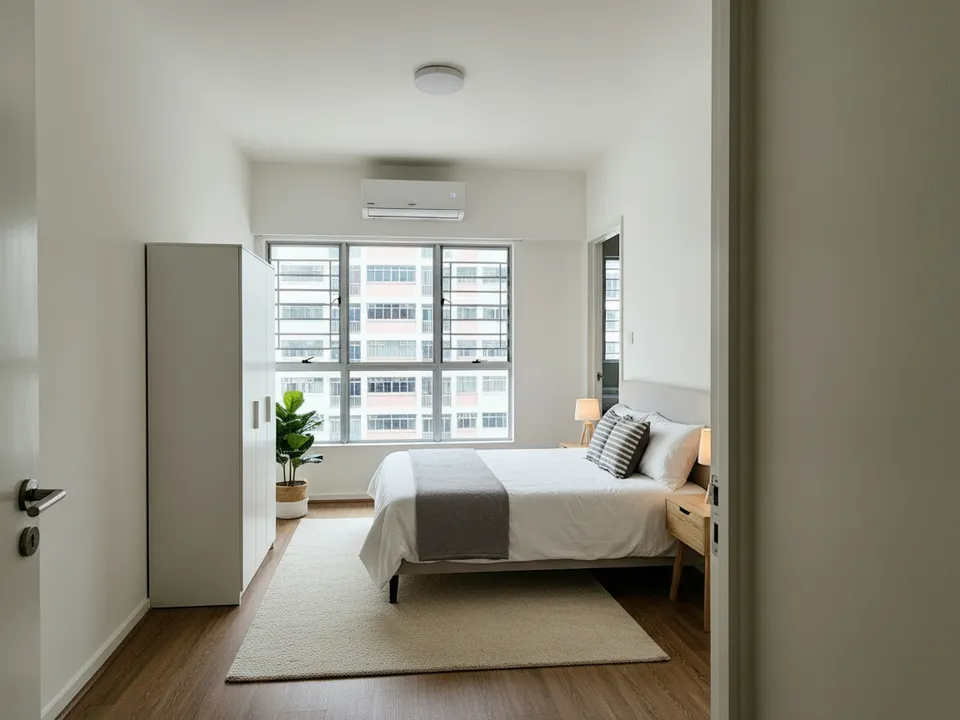
An empty HDB master bedroom and its virtually staged version, shown together with a label Drag to compare. AI-generated example for illustration, not a real listing.
The principle: show possibility, not a different home
A staged photo is fair when it shows how the real space could be furnished. It becomes misleading when it changes what the buyer would actually get: the size of the room, the condition of fixed features, the view or the fittings included. Keep that line in mind and most decisions become simple.
This guide is practical advice, not legal advice. Your agency's own compliance guidelines and the current CEA and portal rules take precedence, so check them when in doubt.
Five disclosure steps for every listing
- Label each staged image on the image or caption, for example "Virtually staged"
- Include the original photo of every staged room in the same set
- Add a line in the description: "Some photos are virtually staged; furniture is not included"
- Keep a folder of originals and edits for each listing, in case questions arise later
- Tell buyers at viewing which rooms were staged in the photos
What you must never edit
Never change walls, windows, flooring, ceilings or built-in fittings. Never remove defects such as cracks, stains, water damage or damaged cabinets. Never alter or replace the view, enlarge a room, or add a balcony or feature that is not there. Removing a seller's loose belongings is acceptable when labelled; removing a structural column is not.
Renovation concept images, which change finishes, should be kept separate from listing photos and labelled as concepts for illustration.
Portal and channel rules
PropertyGuru's listing rules require interior photos to show the unit's actual condition, so check its current guidelines, and those of other portals, before uploading staged images as listing photos. On your own social posts, brochures, WhatsApp messages and videos, clearly labelled staged images are commonly used alongside the originals. No regulator certifies staged photos, so avoid wording that suggests official approval.
Making disclosure easy in your workflow
Build labelling into your routine rather than adding it at the end. PostAI's AI Image Studio keeps the room exactly as shot while adding furniture, which makes honest staging easier. One photo is one credit, with 6 free credits for new accounts. Add your label when exporting, before the image goes anywhere.
Stage your own listing photos free
New PostAI accounts get 6 free credits: that is 6 staged photos, no credit card.
Stage 6 photos free See real resultsQuestions agents ask
Is virtual staging allowed in Singapore?
Yes, as marketing, provided it does not mislead. Label staged photos, show originals, and follow your agency and portal rules.
Does CEA sign off on staged photos?
CEA does not approve individual marketing images. It expects advertising not to be misleading, so disclosure is your responsibility.
What label should I use?
Something plain such as "Virtually staged" on each staged image, plus a line in the description.
Can I remove a crack or stain in the photo?
No. Defects must stay visible; only movable belongings may be removed, with a label.
Related
virtual-staging/cea-disclosure · v1 · Book a free Zoom walkthrough