HDB Living Room Virtual Staging: Before & After
The living room is almost always your cover photo, and on a HDB listing it decides whether a buyer clicks or scrolls. Empty, it looks smaller than it is; lived-in, it looks like someone else's home. This page shows how HDB living rooms are shaped, what furniture actually fits, and a staged before and after you can copy.
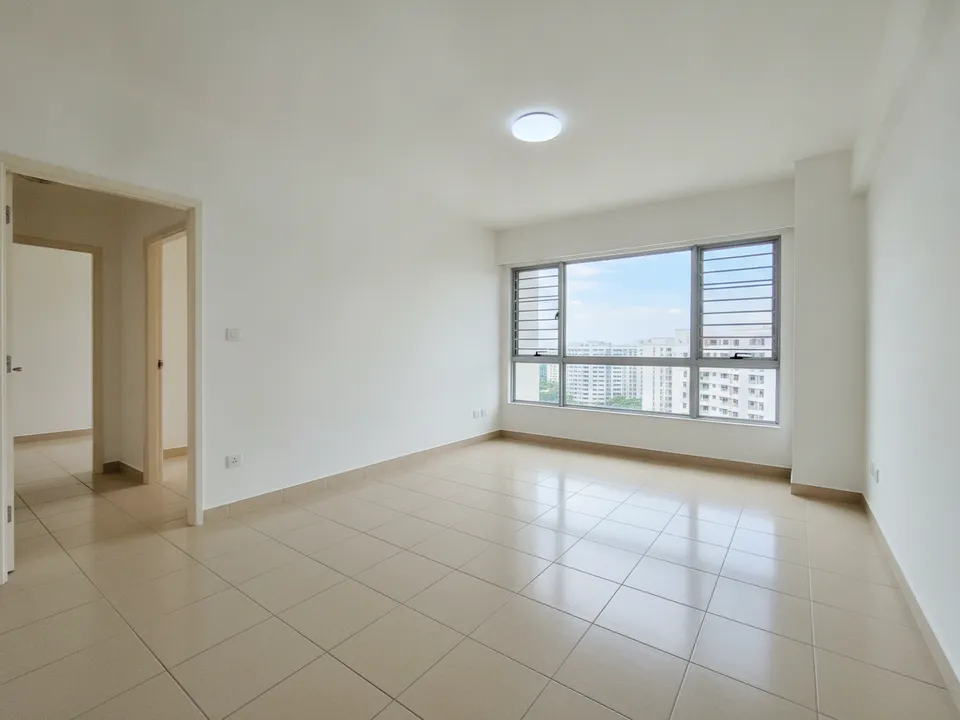
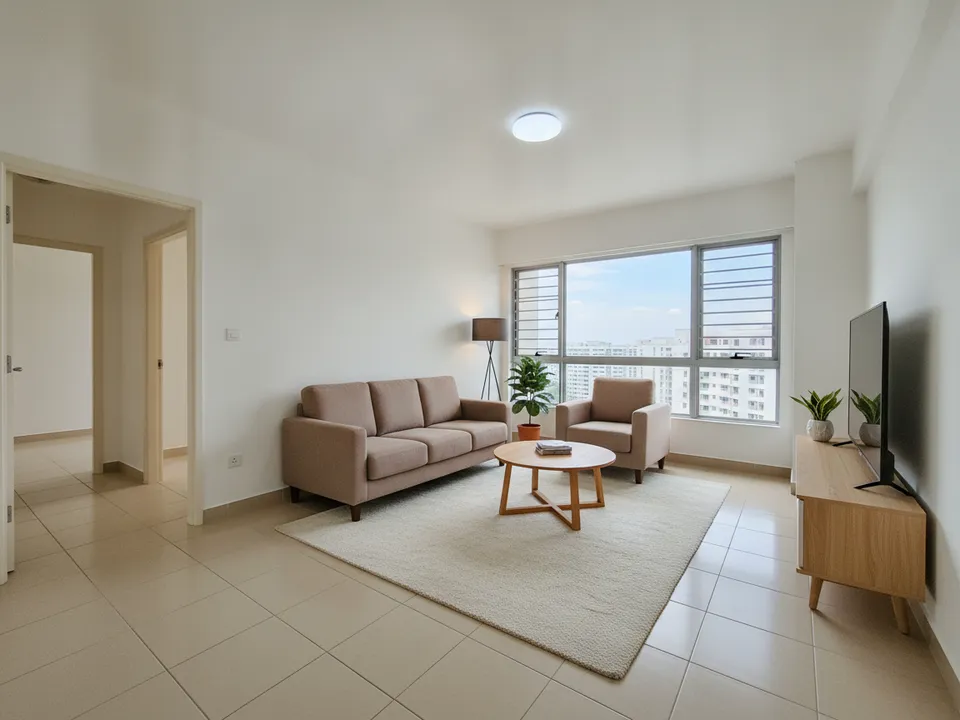
Empty HDB 4-room living room, before and after virtual staging in a warm modern style Drag to compare. AI-generated example for illustration, not a real listing.
Typical HDB living room shapes
In most 3-room to 5-room flats, the living room is a rectangle with the main window or a short balcony on the far wall and the dining area at one end, often next to the kitchen. Older flats tend to have separate, larger living rooms; newer ones combine living and dining into one open space.
Expect a TV wall on one long side, a sofa wall opposite, and a walkway along one edge leading to the bedrooms. Columns, a bay window ledge or the household shelter door can cut into the space.
Furniture that fits
Ask for real HDB proportions. A sofa that looks like it belongs in a landed house will make the room look cramped and fake.
- 3-room: a three-seater sofa, a small coffee table and a slim TV console
- 4-room: a three-seater plus an armchair, or a compact L-shaped sofa if the walkway stays clear
- 5-room and Executive: a large L-shaped or modular sofa with an armchair
- Every size: one rug under the sofa zone, a floor lamp, and one or two plants
What to avoid
When in doubt, remove one piece. A slightly sparse HDB living room photographs larger and calmer than a full one.
- Blocking the window with tall shelving or a sofa back
- Two separate seating zones in a small room; it reads as clutter
- A TV placed on the window wall, which hides the view and light
- Heavy dark furniture on dark floors, which makes the room look smaller
- Editing the view outside the window; HDB buyers know exactly which block they will face
How to shoot and stage it
Stand in the doorway or the corner opposite the window, hold the phone at chest height, and keep it level so vertical lines stay straight. Include the dining end if the space is open. Upload the photo to PostAI's AI Image Studio, choose a style and get the staged version back; one photo is one credit, about S$1.50, and new accounts get 6 free credits.
Put a 'Virtually staged' label on the result and keep the original nearby. Furniture is the only thing that changes; walls, windows, floor tiles and the view stay. PropertyGuru expects interior listing photos to show the real condition, so check portal rules before using the staged version as a listing photo, and use it freely in labelled social posts and videos.
Stage your own listing photos free
New PostAI accounts get 6 free credits: that is 6 staged photos, no credit card.
Stage 6 photos free See real resultsQuestions agents ask
Should the living room always be the cover photo?
Usually yes, because it shows the most space and light. If the view is the strongest feature, a staged living room with the window in frame does both.
Can I use an L-shaped sofa in a 3-room flat?
It often blocks the walkway. A three-seater sofa with a small coffee table usually fits better.
Can staging improve the view outside?
No. The view must stay exactly as it is.
How long does it take to stage one living room photo?
With an AI tool it usually takes minutes from upload to result, compared with days for physical staging.
Related
virtual-staging/hdb-living-room · v1 · Book a free Zoom walkthrough