Virtual Staging for HDB 4-room Listings in Singapore
The HDB 4-room flat, around 90 sqm, is the most common resale type and the most competitive. On a portal page, yours sits next to dozens of near-identical layouts in the same town. Virtual staging helps your listing stand out by showing a family home rather than empty tiles, and this page explains where to spend those photos.
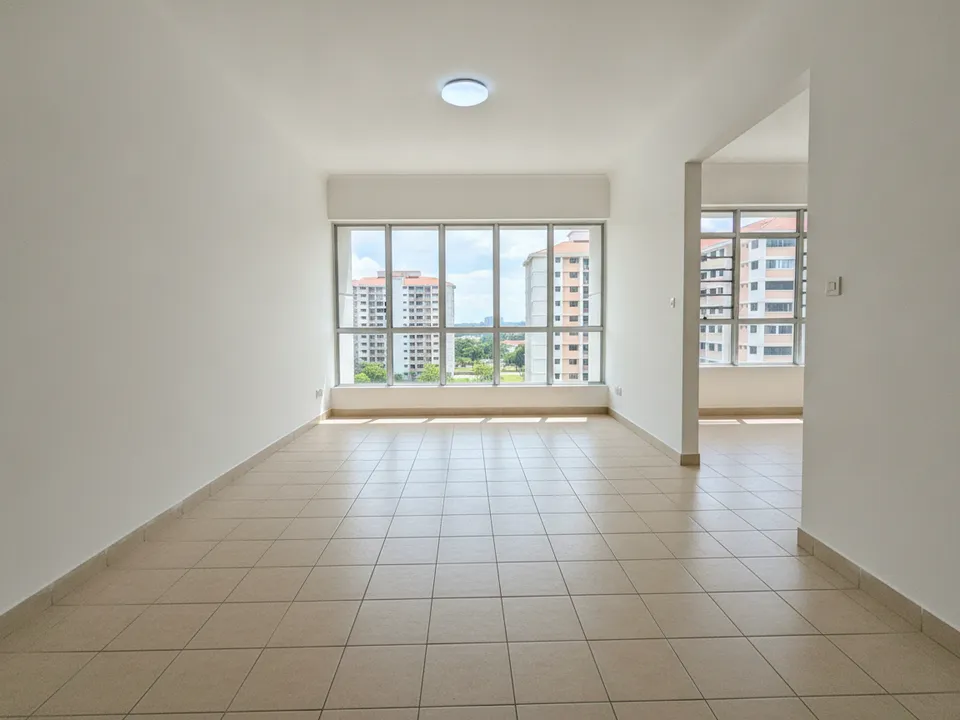
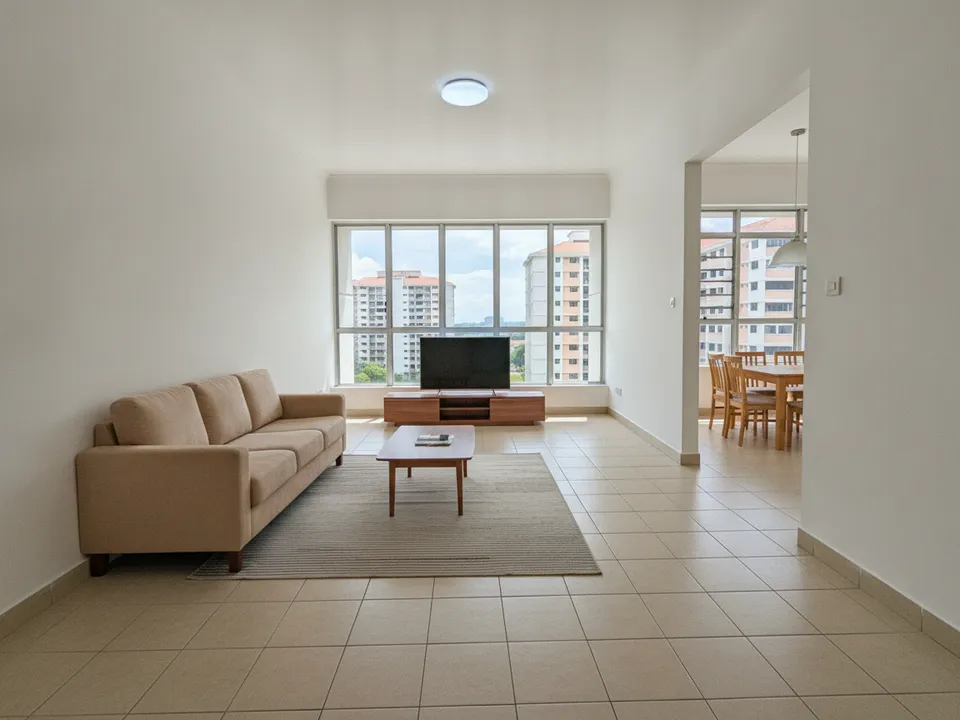
Empty HDB 4-room living room staged as a family living space with a TV wall Drag to compare. AI-generated example for illustration, not a real listing.
What 4-room buyers want to see
The typical buyer is a growing family upgrading from a 3-room or moving out of their parents' home. They want three bedrooms that each have a clear use, a living room that fits a proper sofa and TV wall, and a dining area for daily meals.
They also compare against every other 4-room in the town. Staging lets them see your unit at its best quickly, which is often what earns the viewing request.
Rooms to stage first
Leave the kitchen, bathrooms and service yard unstaged but clean. Buyers judge those on condition, not furniture.
- Living room: the cover photo; this decides whether people click
- Dining area: a six-seater table if space allows, since families host relatives
- Master bedroom: queen or king bed with the attached bathroom door visible
- Third bedroom: stage as a study or kids' room to show flexibility
Layout quirks across 4-room generations
1980s and 1990s 4-room flats are often larger, with a separate dining area and a bigger kitchen. Newer ones are more compact, with an open living-dining space and the household shelter near the kitchen. Some have a short balcony or bay window ledge that cuts into the floor.
For older layouts, stage the separate dining area as its own room so buyers notice the extra space. For newer layouts, use one rug under the living area and a second zone for dining so the open space reads as two functional areas.
How to stage it with PostAI
Take each photo from a doorway at eye level with the window in frame. PostAI's AI Image Studio stages the room in the style you choose and can also correct wide-angle distortion. One photo costs one credit, around S$1.50, and 6 free credits on sign-up cover a typical 4-room set.
Keep it honest
Label each staged photo as virtually staged and keep the original version in your listing or post. Never edit out cracks, stains, a blocked view or a column; buyers will see them at the viewing. PropertyGuru's rules require interior listing photos to show the unit as it actually is, so confirm portal policies before using staged images as listing photos, and use them freely in labelled social posts and videos.
Stage your own listing photos free
New PostAI accounts get 6 free credits: that is 6 staged photos, no credit card.
Stage 6 photos free See real resultsQuestions agents ask
Which photo should be the cover for a 4-room listing?
Usually the staged living room shot from the doorway with the window in view. It shows space and light in one frame.
Can I stage a 4-room flat that still has the seller's furniture?
Yes. Declutter or remove the existing furniture in the photo first, then stage it, and label the result clearly.
Should I stage all three bedrooms?
Stage the master and one other. Showing one bedroom as a study demonstrates flexibility without using extra credits.
Will staged photos get my listing rejected?
Portals have their own photo rules, and some, including PropertyGuru, require interior photos to reflect the actual condition. Check before uploading, and use staged images in social posts and videos if in doubt.
Related
virtual-staging/hdb-4-room · v1 · Book a free Zoom walkthrough