Virtual Staging for HDB 3-room Listings in Singapore
HDB 3-room flats, roughly 60 to 70 sqm depending on the era, sell to first-time couples, small families and downsizing parents. In photos the challenge is showing that two bedrooms and a usable living-dining space fit without the place feeling tight. Here is how to stage a 3-room listing so buyers can picture living in it.
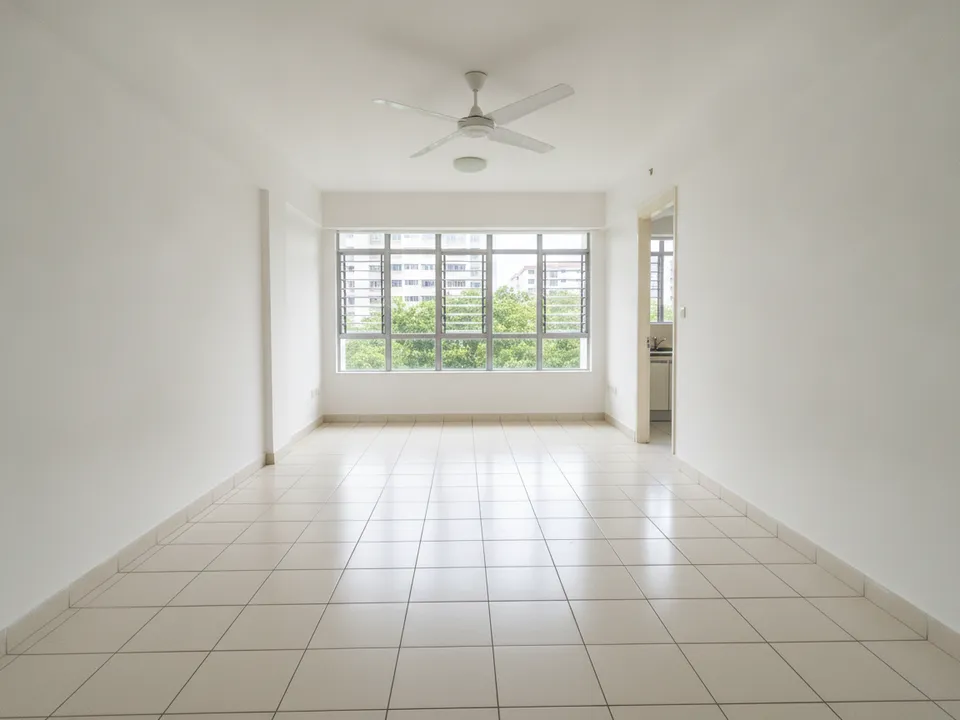
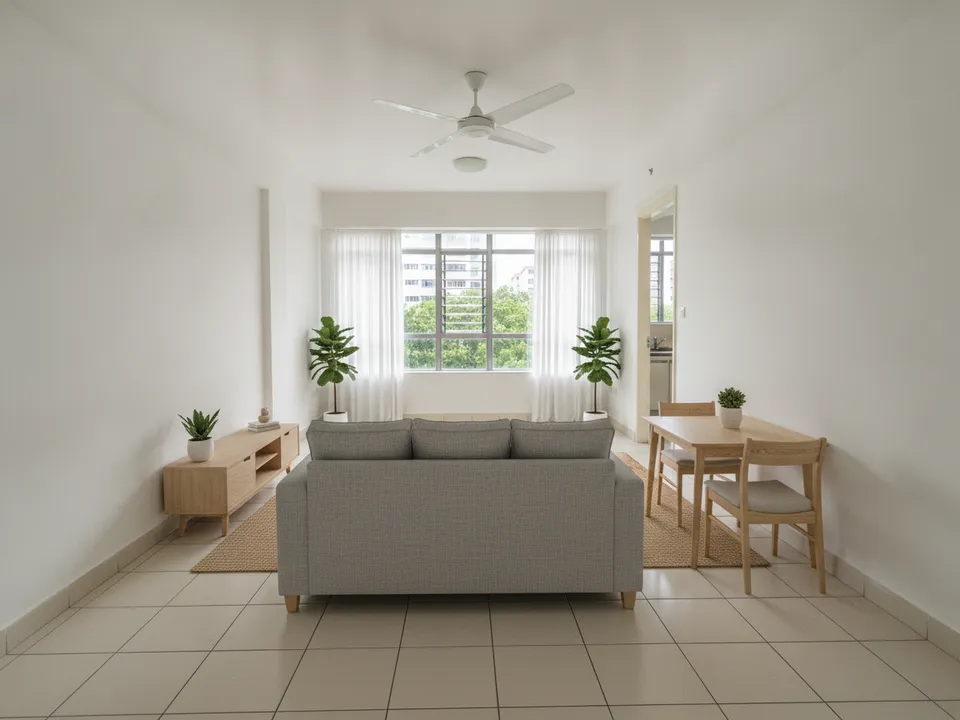
Empty HDB 3-room living room staged as a practical family living and dining space Drag to compare. AI-generated example for illustration, not a real listing.
What 3-room buyers are checking
Young couples want to know if the second bedroom can be a nursery or a study. Downsizers want a living room big enough for visiting grandchildren and a dining table for family meals. Budget-conscious buyers are also estimating how much renovation they need.
Good staged photos address all three: a living room that seats four, a second bedroom with a clear purpose, and a finish level that looks achievable rather than luxurious.
Stage these rooms first
If the budget is only a few photos, the living-dining space and the second bedroom carry most of the story.
- Living and dining: the cover photo, staged with a three-seater sofa and a four-seater table
- Second bedroom: stage it as a nursery or study, whichever fits your buyer profile
- Master bedroom: a queen bed and wardrobe, nothing more
- Kitchen: declutter rather than stage, and show the service yard door
Layout quirks in 3-room flats
Older 3-room blocks often have a long, narrow living room with the dining area squeezed near the kitchen, and bedrooms off a short corridor. Newer ones may be more square but smaller overall. Some units have a household shelter that buyers will use as a storeroom.
Place the staged dining table near the kitchen so the walkway to the bedrooms stays open. Avoid L-shaped sofas, which block the view down the length of the room and make it look shorter.
Staging the 3-room with PostAI
Shoot from the corner that shows the most floor, with both the window and the dining end in frame. Upload it to PostAI's AI Image Studio and choose a warm, practical style; Scandinavian or warm wood suits most 3-room buyers. One photo is one credit, about S$1.50, and your first 6 photos are free when you sign up.
Mark each staged image as virtually staged and show the original photo beside it. Do not change wall positions, window size or the view from the window. Since PropertyGuru asks for interior photos that reflect the unit's actual condition, check portal rules before uploading staged shots as listing photos; they are well suited to your Instagram, TikTok and video tour.
Stage your own listing photos free
New PostAI accounts get 6 free credits: that is 6 staged photos, no credit card.
Stage 6 photos free See real resultsQuestions agents ask
How many photos should I stage for a 3-room listing?
Three to four is usually enough: living-dining, second bedroom, master bedroom and perhaps the kitchen after decluttering.
Should I stage the second bedroom as a nursery or a study?
Match it to the likely buyer. In estates popular with young families, a nursery works; near business hubs, a study often lands better.
Can I hide the old kitchen cabinets through staging?
No. Staging adds furniture but must not replace fixed fittings. If you want to show a renovation idea, present it separately and label it clearly as a concept.
Can I use staged photos in a property video?
Yes, as long as the images are labelled as virtually staged in the video.
Related
virtual-staging/hdb-3-room · v1 · Book a free Zoom walkthrough