Virtual Staging for HDB 2-room Flexi Listings in Singapore
A 2-room Flexi is only about 36 to 45 sqm, so an empty one photographs like a corridor and a lived-in one photographs like a storeroom. Buyers are usually seniors right-sizing or singles buying on their own, and both need to see that a bed, a sofa and a dining spot genuinely fit. This page covers what to stage first, how to handle the layout, and how to present staged photos honestly.
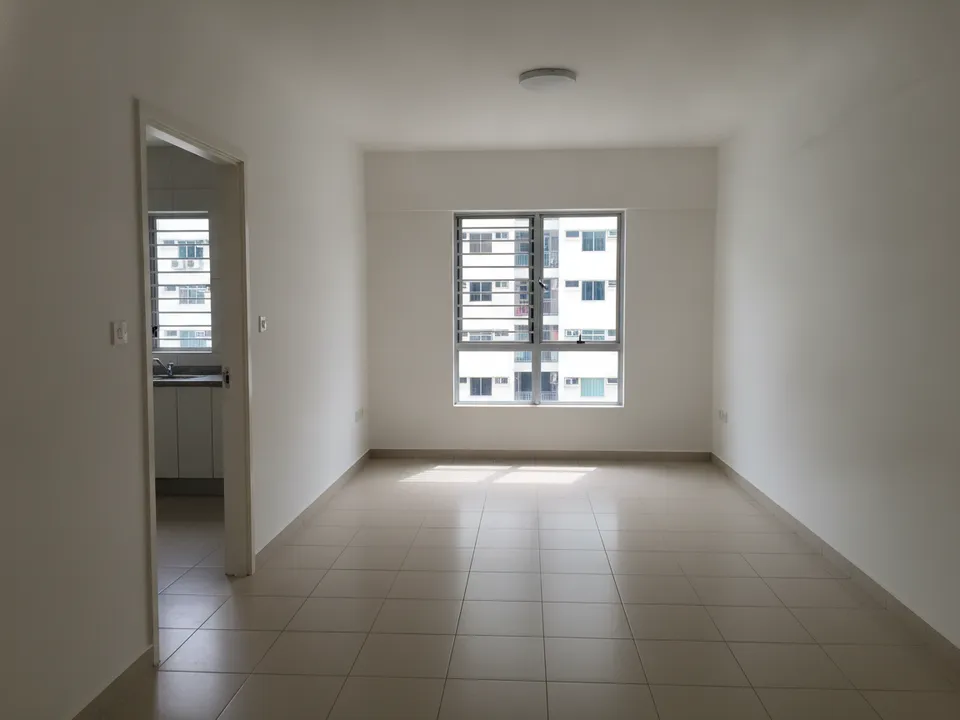
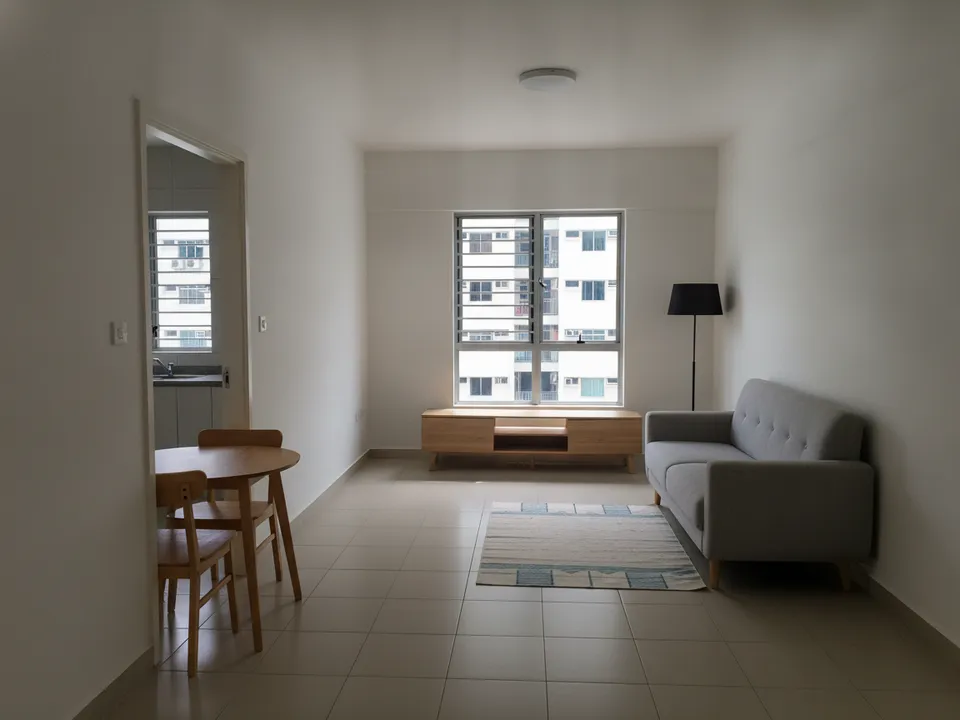
Empty 2-room Flexi living and dining area, before and after virtual staging with compact furniture Drag to compare. AI-generated example for illustration, not a real listing.
Who buys a 2-room Flexi and what they need to see
Most viewers fall into two camps. Older buyers want proof the flat is easy to live in: a clear path from bed to toilet, space for a small dining table, and no awkward steps. Singles and young couples want to see the flat working as a proper home with a work corner, not a stopgap.
Your photos should answer one question for each: does daily life fit in this floor area? Staging is the fastest way to show that without asking the owner to buy furniture.
Which space to stage first
Start with the combined living and dining area. In a Flexi it is the only room that sets the mood, and it is usually the cover photo. The bedroom comes second, staged with a queen bed at most so the walking space stays visible.
- Living area: a two-seater sofa, a slim TV console and a round two-person dining table
- Bedroom: queen or super-single bed, one bedside table, a wardrobe against the shortest wall
- Kitchen: usually skip staging and simply declutter the counter
- Service yard or ledge: show it tidy, not furnished
Layout quirks to plan around
Many Flexi units have the kitchen opening straight into the living area, a bathroom near the entrance and a single window wall. Furniture that is even slightly oversized makes the room look smaller than it really is, which works against you.
Ask for low-profile, light-coloured pieces and keep the floor visible under the sofa and table. If the flat was bought with elderly-friendly fittings such as grab bars, keep them in the frame; for the right buyer they are a selling point, not a flaw.
How to stage it and stay honest
Shoot from the main door at chest height so the photo shows the full depth of the flat. In PostAI's AI Image Studio you upload that photo, pick a style and get the staged version back; each photo costs one credit (about S$1.50) and every new account starts with 6 free credits, so a whole Flexi can be staged at no cost.
Add a 'Virtually staged' label to every edited image and keep the original next to it. Furniture is fine to add, but the walls, windows, floor area and outside view must stay as they are. Portals such as PropertyGuru expect interior photos to show the unit's real condition, so check their rules before using staged images as main listing photos; for social posts and videos, labelled staged images are the usual route.
Stage your own listing photos free
New PostAI accounts get 6 free credits: that is 6 staged photos, no credit card.
Stage 6 photos free See real resultsQuestions agents ask
Is virtual staging worth it for a small 2-room Flexi?
Small flats benefit the most, because buyers struggle to judge scale in an empty 36 to 45 sqm room. Staging two or three photos is usually enough.
What furniture size should I ask for?
Ask for a two-seater sofa, a two-person dining table and at most a queen bed. Oversized pieces make the flat look cramped.
Can I stage a Flexi that still has the owner's furniture?
Yes. Use decluttering first to clear personal items, then stage the cleared photo, and label the result as virtually staged.
Do I need to keep the grab bars and ramps in the photo?
Yes. They are fixed features, and removing them would misrepresent the unit. Many older buyers also see them as a plus.
Related
virtual-staging/hdb-2-room-flexi · v1 · Book a free Zoom walkthrough