From Staged Photos to a Home Tour Video
You have staged the living room and bedrooms, and the photos look good on the portal. But buyers on Instagram, TikTok and Facebook scroll past still images, and you do not have time to shoot and edit a walkthrough for every listing. This guide shows how to turn the same staged photos into a short tour video with you presenting it.
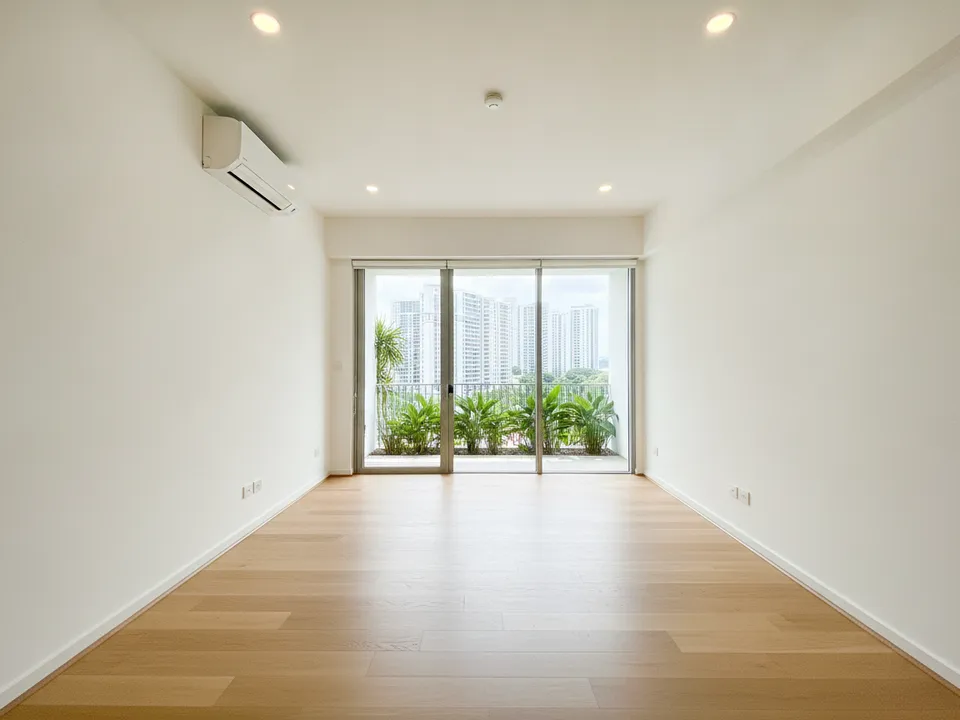
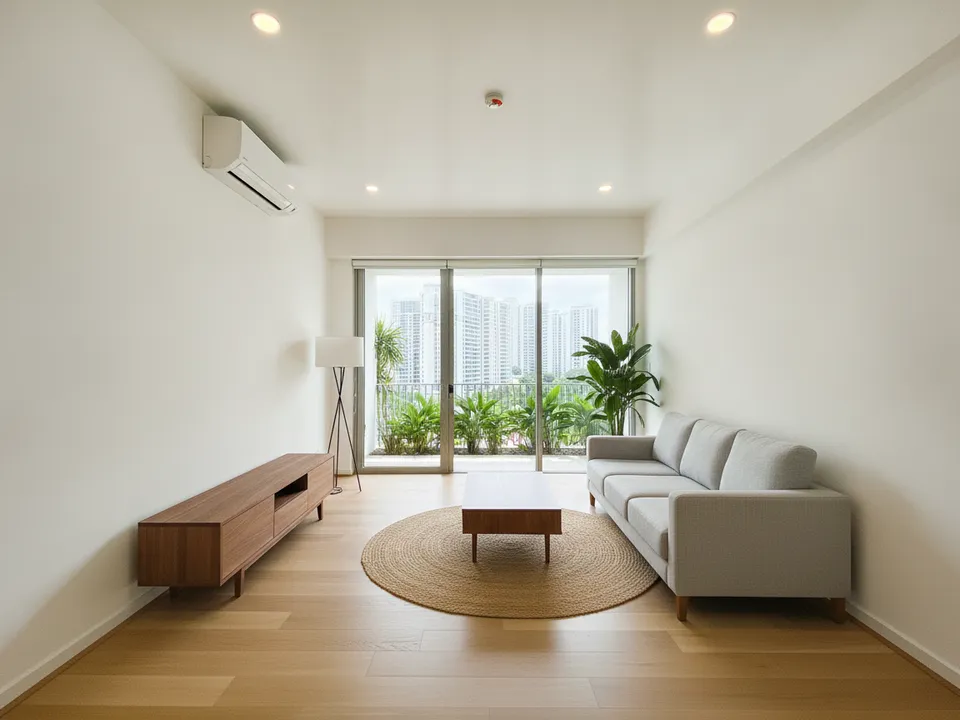
Empty condo living room before, and the same room virtually staged as the opening frame of a tour video Drag to compare. AI-generated example for illustration, not a real listing.
Pick the photos in walking order
A tour video should feel like a viewing, so order the photos the way a buyer would walk the unit: entrance or foyer, living and dining, kitchen, bedrooms from the master down, then bathrooms and the balcony or view last. Jumping from a bedroom back to the kitchen breaks the sense of space.
Aim for 8 to 12 photos for an HDB flat or condo. Fewer than that feels thin; many more and the video drags past the point where viewers drop off.
- Open on your strongest staged shot, not the front door
- Use one photo per room unless the room is the selling point
- Keep one unstaged photo of key rooms to show the real condition
Write a script around what buyers ask
Do not narrate what viewers can already see ("this is the living room"). Say what the photo cannot: which way the unit faces, the walk to the MRT, whether the kitchen is open or enclosed, distance to the nearest primary school. One fact per photo is enough.
Close with a single clear next step, such as WhatsApp you for a viewing slot this weekend.
Put yourself on camera without a shoot
PostAI's Guided Tour and Beat Tour put you in the video as an AI avatar speaking in your own cloned voice, in English, Chinese or Malay, over your staged photos. You upload the photos, add your script, and the tour is assembled for you, with no separate video shoot or editing.
If you have not staged the photos yet, PostAI's AI Image Studio does that first. New accounts get 6 free credits, enough to stage 6 photos, with no credit card.
Label staged scenes in the video too
The disclosure rule does not disappear because the photo is moving. Put a small "Virtually staged" label on each staged frame, and say once in the narration that furniture is shown for illustration. Showing the original empty room briefly before the staged version is honest and also makes a satisfying reveal.
Never let staging hide a defect or change a fixed feature like a window, wall or view. CEA expects property advertising not to mislead, and a video is advertising.
Where to post the finished video
Vertical 9:16 suits Reels, TikTok, Xiaohongshu and WhatsApp Status. Portals vary in whether they accept video uploads or links, so check each portal's current rules. PropertyGuru, for example, requires interior photos to show the unit's actual condition, so keep staged frames labelled and pair them with real photos wherever they appear.
Stage your own listing photos free
New PostAI accounts get 6 free credits: that is 6 staged photos, no credit card.
Stage 6 photos free See real resultsQuestions agents ask
How long should a listing tour video be?
Short enough to hold attention on social feeds: about a minute works for most HDB flats and condos. Cover the rooms buyers care about and end with how to book a viewing.
Can I mix staged and unstaged photos in one video?
Yes, and it is a good idea. Label the staged ones clearly and use the originals to show the actual condition.
Do I need to record myself for the avatar?
PostAI uses your avatar and a clone of your voice, so you do not need to film each listing. Check the app for what it needs to set up your avatar.
Which languages can the narration be in?
Guided Tour and Beat Tour narration can be in English, Chinese or Malay, which helps when the likely buyers are a mix of locals and PRs.
Related
virtual-staging/staging-video · v1 · Book a free Zoom walkthrough