Tilt-Shift Mini Neighborhood Aerial — Real Estate AI Prompt
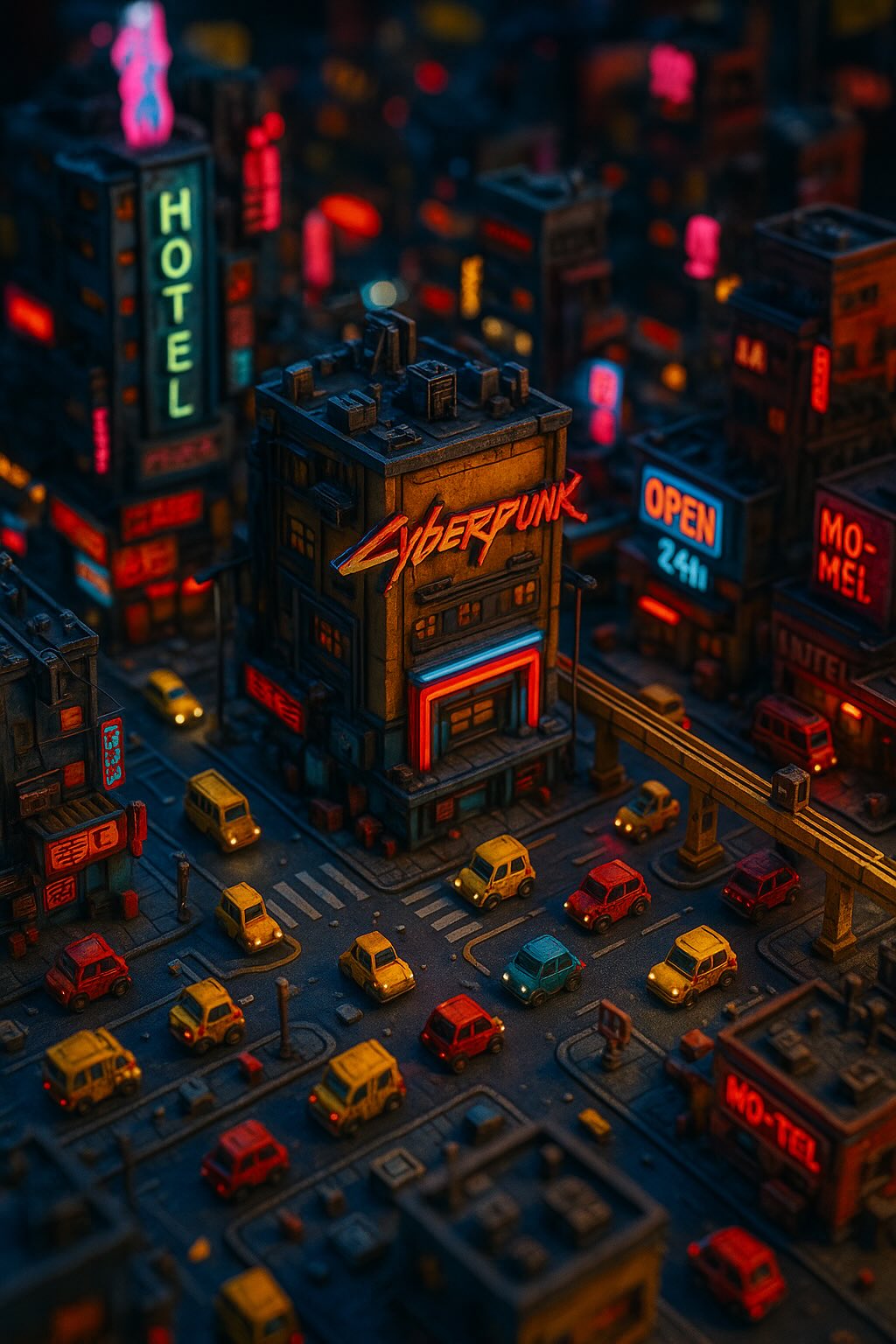
TL;DR: A tilt-shift miniature aerial that makes a real neighborhood look like a toy model — magical for hero posts. Use this ChatGPT Image 2.0 prompt to hero image for a development / district feature. Replace the bracketed inputs with your details, paste into ChatGPT, and download the result.
Good for
- Hero image for a development / district feature
- Stand-out IG / LinkedIn post that breaks the scroll
- Cover image for a market report
What you need
- An aerial / drone photo of the area
- Time of day preference
- Optional: highlight a specific building
The realtor-adapted prompt
Copy the prompt below, paste it into ChatGPT (with image generation enabled), and replace each [your X] placeholder with your real details.
Tilt-shift miniature aerial photograph based on [your aerial photo]. The entire scene looks like a meticulously crafted miniature model — buildings, vehicles, pedestrians all toy-scale. Strong shallow depth-of-field: top and bottom thirds heavily blurred, only the middle band sharp (with [your project name] in clear focus). Saturation +30%, increased contrast. Lighting: [your time of day, e.g. golden-hour magic light]. Visible miniature-grade details: rooftop gardens, balcony furniture, parked cars, tiny figures. Bottom watermark: "[your project name] · [your phone]". Style: Japanese tilt-shift photography aesthetic, fairy-tale-precise, 16:9 horizontal.
How to use this prompt — step by step
- Open ChatGPT (chat.openai.com) and start a new chat.
- Make sure image generation is enabled (use ChatGPT Plus, Pro or Team).
- Paste the realtor-adapted prompt above into the chat input.
- Replace every
[your X]placeholder with your real details. Don't leave any placeholder unfilled. - Press send and wait 10–30 seconds. Download the generated image.
- (Optional) Generate 2–3 variations and pick the strongest before publishing.
Original prompt
View the original (unmodified) source prompt
A highly detailed miniature [Cyberpunk] landscape viewed from above, using a tilt-shift lens effect. The scene is filled with toy-like elements, all rendered in high-resolution CG. Dramatic lighting creates a cinematic atmosphere, with vivid colors and strong contrast, emphasizing depth of field and a realistic micro-perspective, making the viewer feel as if overlooking a toy world. The image contains many visual jokes and details worth repeated viewing.
Frequently asked questions
Is the Tilt-Shift Mini Neighborhood Aerial prompt free to use?
Yes. The library is free forever. The realtor adaptations are written by the PostAI Editorial Team and licensed for free commercial use. The original prompt is sourced under CC BY 4.0 (where applicable).
What inputs do I need for the Tilt-Shift Mini Neighborhood Aerial prompt?
Check the 'What You Need' section above. Typically you need a relevant photo (your own or the property's), a project / brand name, a one-line headline or tagline, and your contact details.
Can I customise the Tilt-Shift Mini Neighborhood Aerial prompt for my market?
Yes. Replace the bracketed placeholders with details specific to your market — district, price range, project name, language. The prompt structure works equally well for Singapore, Malaysia, Hong Kong, the United States, the United Kingdom and Australia.
Will the model invent furniture that isn't there?
It can if you ask — most realtor adaptations explicitly say "preserve room structure" but allow staging upgrades. If you want a literal photo, add "do not add or remove furniture" to the prompt.
Is this legal under MLS / portal listing rules?
AI virtual staging is allowed on most major portals (PropertyGuru, Zillow, 99.co, Rightmove, Domain) provided the listing is clearly marked "virtually staged" — your local rules may vary. The unit's actual structure must remain truthful.