Quick Answer
An AI transition video uses image-to-video models (Kling, Runway, Luma) to generate motion between a start frame (your listing photo) and an end frame (an AI-imagined variant — post-renovation, with people, different time of day). The manual workflow takes roughly 95 minutes per video — 15 min storyboard, 20 min for 5 end frames in ChatGPT, 30 min for 5 clips in Kling, 30 min compose in CapCut. PostAI Magic Reel automates the same pipeline end-to-end in under 5 minutes per video.
Why AI Transition Videos Matter in 2026
Singapore buyers do not scroll past listing carousels anymore — they scroll past listing carousels quickly. The format every top-producing agent is moving to is the short cinematic transition reel: a 20–30 second vertical video where AI generates the motion between listing photos, set to music, with the agent's branding overlaid. It feels like a movie trailer for the home.
The reason this format wins is psychological. A static carousel asks the viewer to read; a transition reel sells the viewer a feeling. The viewer sees themselves living in the unit — making breakfast in the kitchen, watching the sunset from the balcony, putting kids to bed in the second bedroom — rather than evaluating a series of empty rooms.
This guide covers the entire transition video production stack, two ways: the manual route (ChatGPT + Kling + CapCut, ~95 minutes per video) and the automated route (PostAI Magic Reel, under 5 minutes per video). Both produce the same kind of finished reel — choice depends on how much time you want to spend per listing.
What an AI Transition Video Actually Is
The core technique behind every AI transition reel is the same: a video-generation model (Kling, Runway, Luma, Veo) takes two image inputs and generates the motion between them. The first image is the start frame. The second image is the end frame. The AI's job is to make a believable, cinematic transition from one to the other.
For real estate, the two frames are typically:
- Start frame: Your actual listing photo — an empty room, a bare balcony, a vacant kitchen.
- End frame: An AI-imagined version of the same scene — the room post-renovation, the balcony at sunset, the kitchen with a family cooking dinner.
The AI fills in the frame-by-frame motion. The viewer sees an empty kitchen becoming a lived-in family scene. That's the "dream" you are selling — not the unit, but the life inside the unit.
Why two frames, not one
You could feed a single image into a video model and let it generate motion freely (this is called "image-to-video without end frame"). The output tends to drift — the camera wanders, objects warp, the scene loses coherence after 2–3 seconds. Two-frame conditioning anchors both ends of the clip, so the AI generates motion that has somewhere to go. This is the single trick that separates a polished property reel from a melty AI mess.
Storyboard First — The Step That Matters Most
The biggest mistake agents make with AI video is opening a tool before deciding what story they are telling. Every successful transition reel is decided at the storyboard stage, not in the editor.
The day-arc storyboard
The most reliable storyboard template for residential listings is the "day arc" — walk the buyer through a full day in the home:
- Morning: Kitchen scene. "Where mornings begin."
- Afternoon: Living room scene. "Long afternoons, made for two."
- Evening: Master bedroom scene. "Quiet nights, together."
- Always: Kids' study or balcony. "Homework, stories, blocks. Ours."
One scene per beat. Each beat is one shot. Six scenes for a 30-second reel is the sweet spot — long enough to tell a story, short enough to finish before the viewer scrolls.
Pick the strongest listing photo per scene
Wrong start frame = wrong clip. Spend 10 minutes choosing the best listing photo for each beat before you generate anything. The rule of thumb: 10 minutes of planning saves an hour of regenerating clips.
Method 1 — The Manual Workflow (ChatGPT + Kling + CapCut)
The DIY route. Three tools, four steps. Full creative control but significant time investment.
Step 1: Storyboard the video (15 min)
Decide the story and the 4–6 scenes on paper or in a Google Doc. One listing photo per scene. One voiceover line per scene. Don't open any tool yet.
Step 2: Generate the end frame in ChatGPT (20 min for 5 scenes)
For each scene, upload the listing photo to ChatGPT (with image generation enabled) and ask it to imagine the same scene with a change — post-renovation, with people, at a different time of day. Critical: keep the same room, same camera angle, same composition. You want continuity, not a new image.
Here is a working prompt template for the end frame:
Generate an image based on the uploaded photo. Keep the EXACT same room, lighting direction, camera angle, composition, architecture, furniture placement, flooring, and overall room proportions. Preserve the original aspect ratio.

Add [a young Chinese couple naturally into the scene / a fully renovated modern kitchen / golden hour sunset light / a child's study setup].

- Maintain realistic proportions and perspective matching the original room.
- Soft warm indoor lighting, clean Scandinavian/Japanese minimalist interior style.
- Photorealistic, natural skin tones, cinematic but subtle color grading.
- Do not alter the room layout or camera framing.

Negative prompt: distorted hands, extra fingers, duplicate people, wrong perspective, changed room layout, warped furniture, oversized objects, blurry face, cartoon, CGI, messy composition, cropped body, fisheye distortion.
Download the generated image — that's your end frame. Repeat for every scene in your storyboard.
Step 3: Generate the clip in Kling (30 min for 5 scenes)
Open Kling, select Image to Video, then choose the mode that accepts both a start frame and an end frame. Upload your listing photo as the start frame and your ChatGPT-generated image as the end frame. Add a short prompt describing the motion you want.
Use the first image as the start frame and the second image as the end frame. Keep the exact same modern kitchen layout, camera angle, composition, and 9:16 ratio. Create a smooth 3-second cinematic transition where a young Chinese couple naturally appears in the kitchen. The woman stands at the island cutting vegetables while the man sits beside her looking at her warmly. Subtle realistic movement, soft warm lighting, cozy lifestyle atmosphere, ultra photorealistic, minimal camera movement.
Generate. Wait roughly 1–2 minutes per clip. Download. Move to the next scene. Repeat 4–6 times.
Step 4: Compose everything in CapCut (30 min)
Drop all the clips onto a CapCut timeline in storyboard order. Trim each clip to length. Add background music that matches the mood (royalty-free is fine). Layer on-screen text for the address, key selling points and your CTA. Add an AI voiceover or record your own. Export 9:16 vertical for Reels, TikTok and WhatsApp Status.
The honest assessment
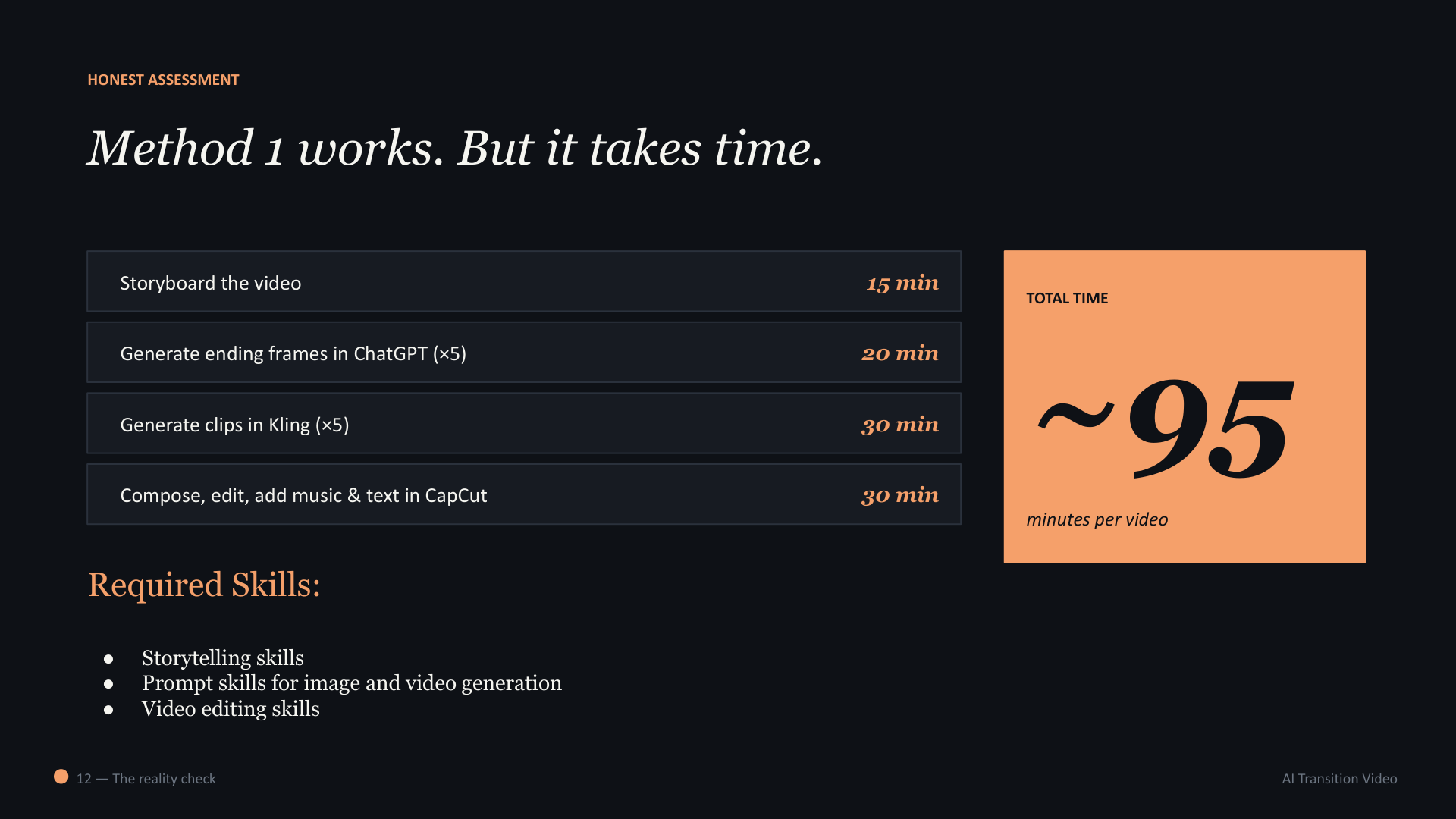
Method 1 produces beautiful results. It also requires three skills most agents don't have full-time: storytelling, prompt engineering for image and video models, and video editing. For a hero listing — a $5M+ condo or landed property where you can justify two hours of production — Method 1 is worth it. For daily content across an active portfolio, it is not sustainable.
Method 2 — Magic Reel (The Same Workflow, Automated)
Magic Reel collapses the entire Method 1 pipeline into one guided UI. The pipeline is identical — storyboard → end frame generation → clip rendering → compose with music + branding + voiceover — but every step is automated or one-click.
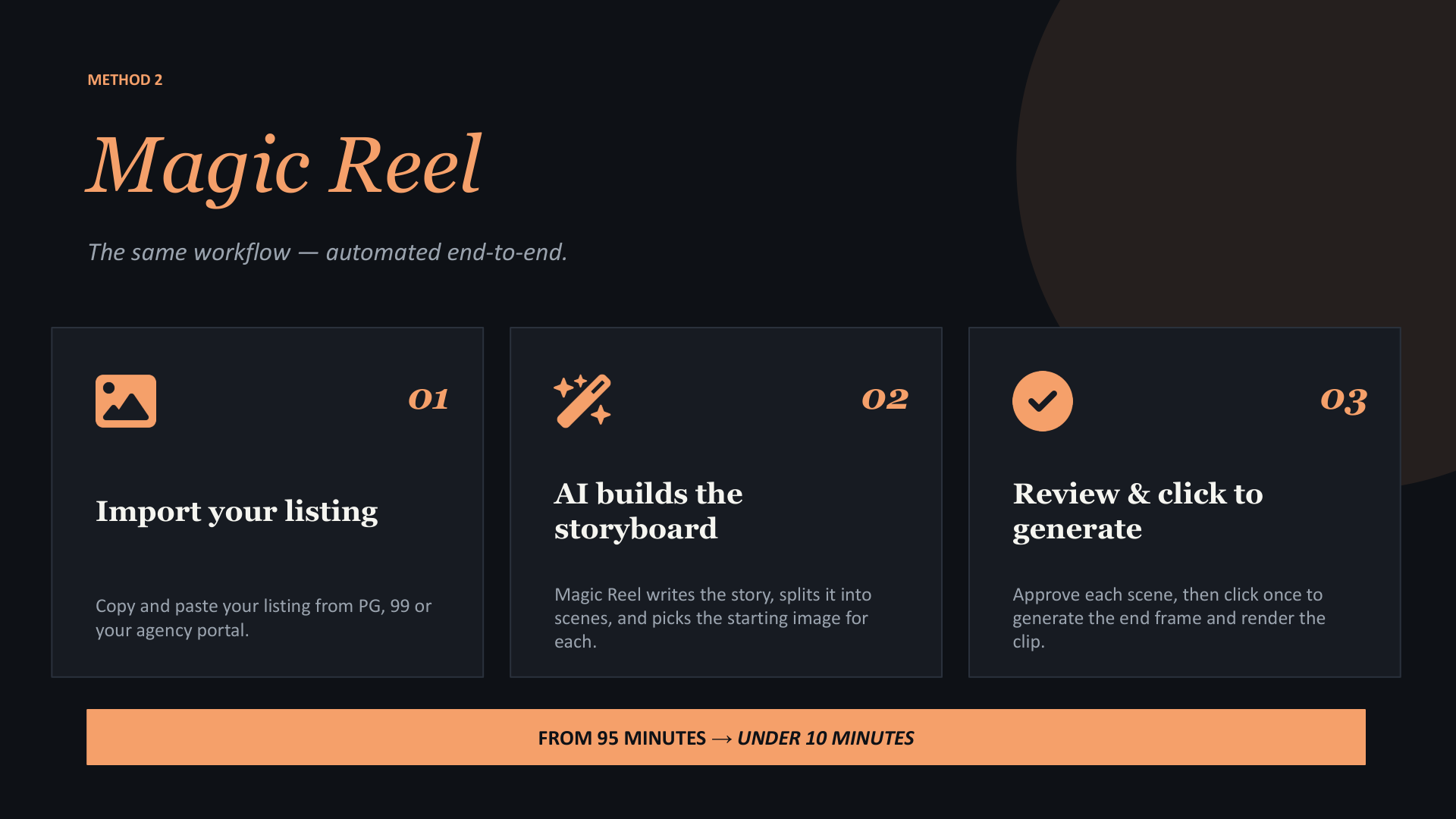
The three Magic Reel steps:
- Import your listing — paste a URL from PropertyGuru, 99.co, EdgeProp or your agency portal.
- AI builds the storyboard — Magic Reel auto-writes the story, splits the listing into named scenes (Living Room, Kitchen, Bedroom, etc.), and picks the strongest listing photo for each scene.
- Review and click to generate — approve each scene, click once to generate the end frame and render the clip. PostAI stitches everything together with music, your agent branding, and an AI voiceover.
The full Magic Reel walkthrough — every screen, every option — lives in our How to Create a Transition Video with PostAI Magic Reel guide. The rest of this page focuses on the comparison between the two methods.
Method 1 vs Method 2 — Side by Side
| Method 1: Manual | Method 2: Magic Reel | |
|---|---|---|
| Time per video | ~95 minutes | Under 5 minutes |
| Tools needed | ChatGPT (Plus / Pro), Kling, CapCut | PostAI Magic Reel only |
| Creative control | Full — every frame and prompt is yours | Guided — pick photos and style category, AI handles prompts |
| Skills required | Storytelling + prompt engineering + video editing | None — pick the listing and review |
| Cost per video | ~USD 1–3 in AI credits + 95 minutes of your time | ~SGD 1.50 in credits + 5 minutes of your time |
| Best for | Hero listings, custom story, agency portfolio reels | Daily posting, new launches, batch generation across portfolio |
| Output format | Whatever you export from CapCut | 9:16 vertical MP4, ready for Reels/TikTok/Shorts/WhatsApp |
| Branding | Manually add per video | Auto-applied from your saved profile |
| Voiceover | Record your own or use AI (separate tool) | Built-in AI voice, multilingual (EN / 中 / BM) |
Math on the time saving: a Singapore property agent who values their time at SGD 150/hour (a conservative number for a producing agent) spends ~SGD 240 of their own time per Method 1 video. Magic Reel does the same job for ~SGD 12.50 of time + SGD 1.50 of credits. The ROI on automation is roughly 16x at the agent's own time rate — and it scales: every additional listing per week multiplies the saving.
When to Use Method 1 Anyway
Magic Reel does not eliminate the case for the manual workflow. Three scenarios where Method 1 is still the right call:
Hero listings (SGD 5M+ properties)
When you have a single high-commission listing — a Sentosa Cove villa, a District 10 GCB, a penthouse in a new launch — 95 minutes of production time is worth the absolute creative control. Magic Reel produces excellent reels; Method 1 produces reels you can submit to architecture and design publications.
Custom story you can't get from auto-storyboard
If your story is unusual — a heritage shophouse with a 100-year history, a developer's first project in a new district, a landed estate with a specific community angle — the auto-storyboard will produce a generic version. The manual workflow lets you build the script and scene order yourself.
Building agency-wide brand reels
For agency brand reels (not listing-specific) — "a year at our agency," "the team behind your purchase," "behind the scenes of our new launch booth" — Method 1 gives you more freedom over scene composition, since the listings themselves aren't the input.
Four Principles That Apply to Both Methods
Whatever tool you use, these four principles separate a cinematic reel that converts from a slideshow buyers swipe past.
- Sell the dream, not every room. Pick the moments that make buyers feel something. Skip the bathrooms and the storage cupboards.
- Storyboard first. Decide the story before opening any tool. The story is what differentiates a reel; the tool is just how you ship it.
- Two frames = one clip. The motion happens between the start frame and the end frame. Choose both deliberately.
- Automate when you can. Use the manual route for hero listings. Use Magic Reel for everything else. Volume beats perfection.
Frequently Asked Questions
What is an AI transition video?
An AI transition video is a short cinematic video where AI generates the motion between two still images — typically a "before" image (your listing photo) and an "after" image (an AI-imagined renovation, lifestyle scene or atmosphere change). The result feels like film, not a slideshow.
Which AI tools generate transition videos for real estate?
The leading models in 2026 are Kling (Kling 2.6 and Kling Video O1), Runway, Luma Dream Machine and Veo 3. Manual workflow uses ChatGPT for end-frame generation, then Kling or Runway for the motion clip. PostAI Magic Reel automates this entire pipeline.
How long does it take to make an AI transition video manually?
About 95 minutes per video: 15 min storyboard, 20 min for 5 end frames in ChatGPT, 30 min for 5 clips in Kling, 30 min compose in CapCut. PostAI Magic Reel collapses the same workflow to under 5 minutes.
What is the "start frame, end frame" trick?
Image-to-video AI models accept two input images — start frame and end frame — and interpolate the motion between them. For real estate, the start frame is your listing photo and the end frame is an AI-imagined variant of the same room. The model fills in the cinematic transition.
Are AI transition videos compliant with CEA advertising rules?
Yes, provided you follow standard disclosure. AI-staged or AI-decluttered scenes are a form of virtual staging and should be disclosed in your caption. Pricing, address, floor area and tenure must match the actual listing. Your CEA registration number and agency name must appear on the video or caption.
How much do AI transition videos cost per video?
Manual workflow: roughly USD 1–3 in AI credits plus 95 minutes of your time. PostAI Magic Reel: from around SGD 1.50 in credits plus under 5 minutes of your time. Time saving is usually the dominant factor for any producing agent.
Can I use AI transition videos for listings on PropertyGuru and 99.co?
Yes. Both portals accept video uploads. AI transition videos generally outperform static photo carousels on portals that show video previews in search results. Use 9:16 vertical for in-feed previews and 16:9 for the listing detail page.
Skip the 95-Minute Workflow
PostAI Magic Reel does the same job in under 5 minutes per listing — storyboard, transitions, music, branding and voiceover, all in one click.
Try Magic Reel Free Book a Demo