Virtual Staging for Relisting After No Viewings
A listing that has sat for weeks with few enquiries starts to look stale to buyers who keep seeing it. Before the seller cuts the price, it is worth asking whether the photos are the problem. This page shows how to refresh a listing with staged images, a new cover and a video.
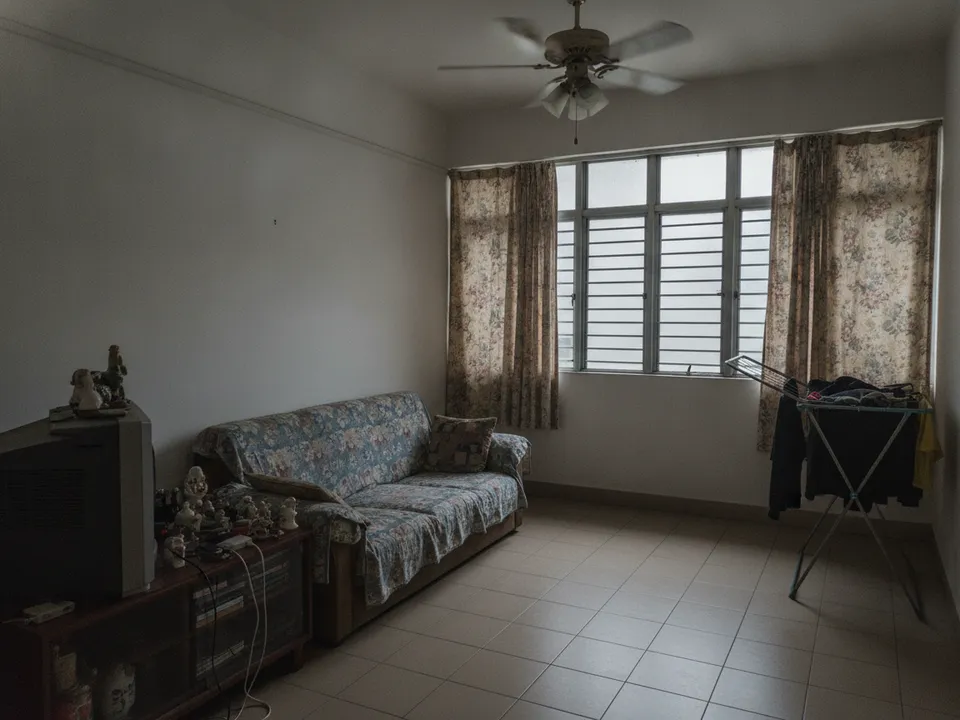
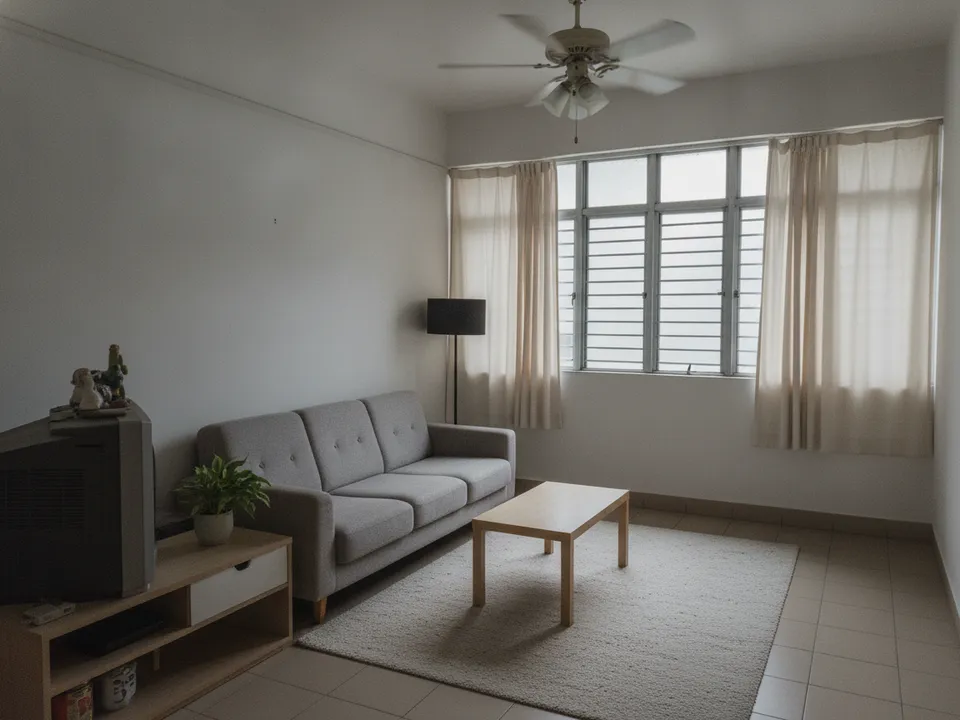
A stale listing's dim, cluttered living room photo refreshed with decluttering and staging Drag to compare. AI-generated example for illustration, not a real listing.
Diagnose before you relist
Look honestly at why the listing is not working. If the price is clearly above comparable recent transactions, new photos alone will not fix it. But if views are high and enquiries are low, or the listing is barely being clicked, the photos are likely part of the problem.
- Low clicks: the cover photo is not stopping the scroll
- Clicks but no enquiries: the photo set or description is not convincing
- Enquiries but no viewings: buyers have questions the listing is not answering
- Viewings but no offers: likely price or condition, not presentation
Refresh the cover photo first
The cover photo decides whether buyers click. Replace a dark or cluttered cover with a staged, bright living room, or a collage cover combining the best staged room, the floor plan and a real view. Use the same room the buyer will see first at viewing, so the listing and the home feel consistent.
Then rebuild the set
Reshoot if the originals were taken in poor light or with the ultra-wide lens. Stage the living room and master bedroom, declutter the rest, and add a 3D render of the floor plan. Put rooms in walking order so the set feels like a tour.
PostAI's AI Image Studio covers staging, decluttering, collage covers and floor plan renders. One credit per photo, roughly S$1.50, and new accounts start with 6 free credits, enough to refresh the cover and key rooms.
Relist honestly
Fresh photos must still show the same property. Label staged images, include originals, and never alter fixed features or views. PropertyGuru expects interior photos to show actual condition, so check portal rules before uploading staged images as listing photos. Respect any portal rules on reposting or relisting too.
Use the refresh in the price conversation
Agree a review date with the seller: refresh the presentation now, and revisit pricing if enquiries do not improve by then. It gives the seller a fair test and keeps the discussion on evidence.
Stage your own listing photos free
New PostAI accounts get 6 free credits: that is 6 staged photos, no credit card.
Stage 6 photos free See real resultsQuestions agents ask
Should I cut the price or change the photos first?
Check the data first. If clicks or enquiries are low, refresh the photos; if viewings happen but no offers come, price or condition is more likely the issue.
Which photo should I change first?
The cover photo, because it decides whether buyers click at all.
Can I relist with the same staged photos?
You can, but a fresh cover and a video give returning buyers a reason to look again.
Do staged photos still need labels on a relist?
Yes. Every staged image should be labelled, with originals included.
Related
virtual-staging/price-reduction-relist · v1 · Book a free Zoom walkthrough