Industry Landscape Infographic — Real Estate AI Prompt
TL;DR: A 信息图表-style "ecosystem map" laying out players in a market — repurpose for a market-segment overview or developer comparison. Use this ChatGPT Image 2.0 prompt to "[district] developers landscape" overview poster. Replace the bracketed inputs with your details, paste into ChatGPT, and download the result.
Good for
- "[District] developers landscape" overview poster
- Market-segment educational graphic
- LinkedIn thought-leadership post
What you need
- Topic / segment to map
- 15-25 entries to place (developers, projects, agents)
- 5-7 sub-categories
The realtor-adapted prompt
Copy the prompt below, paste it into ChatGPT (with image generation enabled), and replace each [your X] placeholder with your real details.
生成一张信息图表风格的房产市场版图,横版 16:9。顶部大字标题「[your market title, 例如 2026 新加坡新盘版图]」。下方分5-7个分类区块,每区块用方框框起来:[category 1: 主流开发商]、[category 2: 高端项目]、[category 3: 投资型项目]、[category 4: 自住型项目]、[category 5: 即将开盘]、[category 6: 重点关注]。每个区块内放置5-8个项目 logo + 名字(小型方块)。整体配色:深色背景 + 彩色分类区块,类似中国 AI 行业图谱风格。底部水印「整理:[your name] · [your phone] · [your agency]」。
How to use this prompt — step by step
- Open ChatGPT (chat.openai.com) and start a new chat.
- Make sure image generation is enabled (use ChatGPT Plus, Pro or Team).
- Paste the realtor-adapted prompt above into the chat input.
- Replace every
[your X]placeholder with your real details. Don't leave any placeholder unfilled. - Press send and wait 10–30 seconds. Download the generated image.
- (Optional) Generate 2–3 variations and pick the strongest before publishing.
Original prompt
View the original (unmodified) source prompt
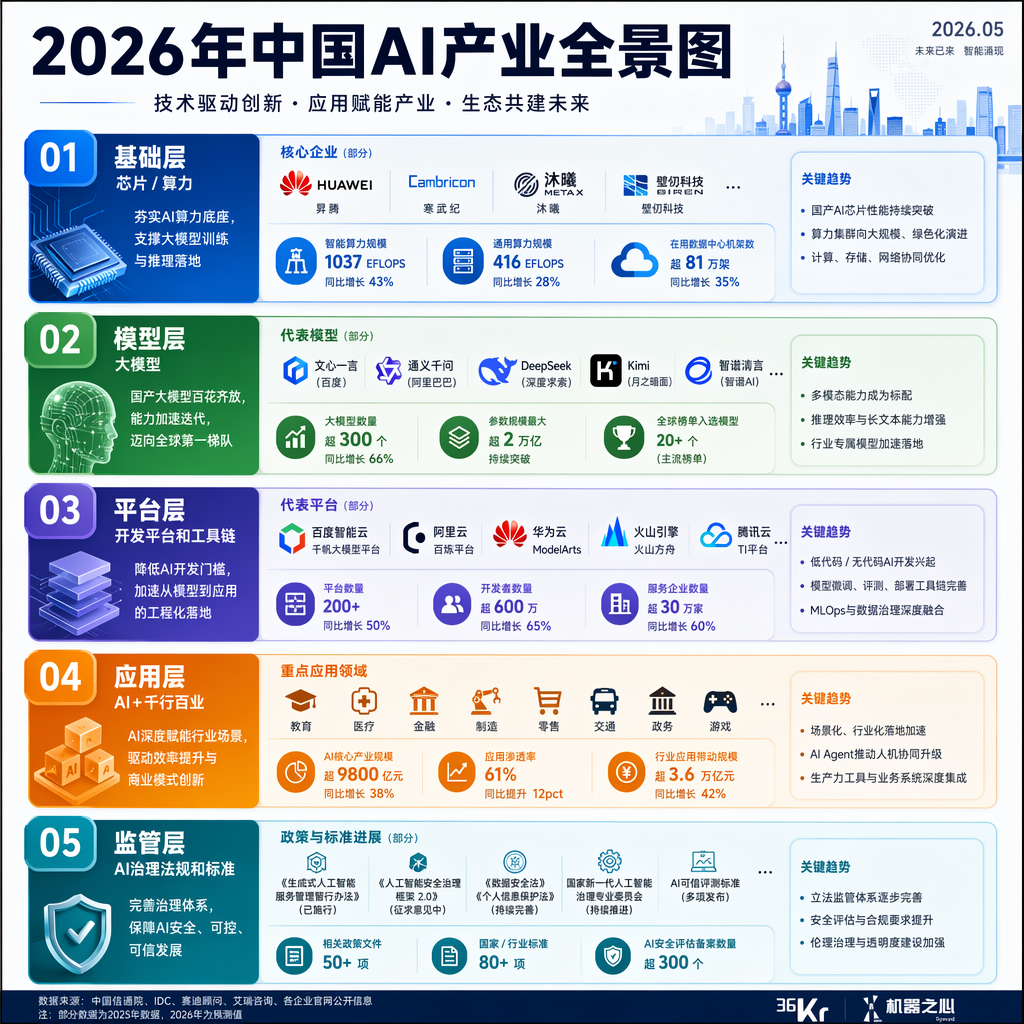
一张高质量竖版信息图表:「2026年中国AI产业全景图」。顶部大标题配副标题和日期。内容分为5个模块:①基础层(芯片/算力:华为昇腾、寒武纪等)②模型层(大模型:文心一言、通义千问、DeepSeek、Kimi等)③平台层(开发平台和工具链)④应用层(AI+教育、医疗、金融、制造等)⑤监管层(AI治理法规和标准)。每个模块用不同颜色的圆角卡片,配图标和关键数据。底部有数据来源。整体风格现代专业,适合36氪或机器之心发布。
Frequently asked questions
Is the Industry Landscape Infographic prompt free to use?
Yes. The library is free forever. The realtor adaptations are written by the PostAI Editorial Team and licensed for free commercial use. The original prompt is sourced under CC BY 4.0 (where applicable).
What inputs do I need for the Industry Landscape Infographic prompt?
Check the 'What You Need' section above. Typically you need a relevant photo (your own or the property's), a project / brand name, a one-line headline or tagline, and your contact details.
Can I customise the Industry Landscape Infographic prompt for my market?
Yes. Replace the bracketed placeholders with details specific to your market — district, price range, project name, language. The prompt structure works equally well for Singapore, Malaysia, Hong Kong, the United States, the United Kingdom and Australia.
Can I cite the data source on the graphic?
Yes — every adaptation includes a footer line for the source ("Data: URA · Compiled by [your name]"). Always credit the source for credibility.
How do I avoid making the graphic too dense?
Pick one number to be the hero (e.g., one big YoY %) and let supporting data live in smaller annotations. The prompts encode this hierarchy.