Minimalist Futurist Poster — Real Estate AI Prompt
TL;DR: A bold minimalist futurist composition — perfect for a high-design new-launch poster. Use this ChatGPT Image 2.0 prompt to high-design new-launch announcement poster. Replace the bracketed inputs with your details, paste into ChatGPT, and download the result.
Good for
- High-design new-launch announcement poster
- Architecture-led developer marketing material
- Luxury showflat invitation cover
What you need
- A photo of the property
- Project name + 1-line philosophy
- Launch date / TOP date
The realtor-adapted prompt
Copy the prompt below, paste it into ChatGPT (with image generation enabled), and replace each [your X] placeholder with your real details.
Minimalist futurist poster. Background: deep matte navy with subtle metallic gradient. Centerpiece: a sharp architectural rendering of [your property photo], floating mid-frame, side-lit with cinematic glow. Bold center title: "[your project name]". Below in thin geometric sans-serif: "[your tagline, e.g. The Future of Living]". Bottom-left small block: "[from $X psf] · TOP [your year]". Bottom-right: "[your name] · [your phone]". Decorative element: a single thin neon-cyan accent line crossing the composition. Style: Dieter Rams meets Kubrick, minimalist futurist editorial, 3:4 portrait.
How to use this prompt — step by step
- Open ChatGPT (chat.openai.com) and start a new chat.
- Make sure image generation is enabled (use ChatGPT Plus, Pro or Team).
- Paste the realtor-adapted prompt above into the chat input.
- Replace every
[your X]placeholder with your real details. Don't leave any placeholder unfilled. - Press send and wait 10–30 seconds. Download the generated image.
- (Optional) Generate 2–3 variations and pick the strongest before publishing.
Original prompt
View the original (unmodified) source prompt
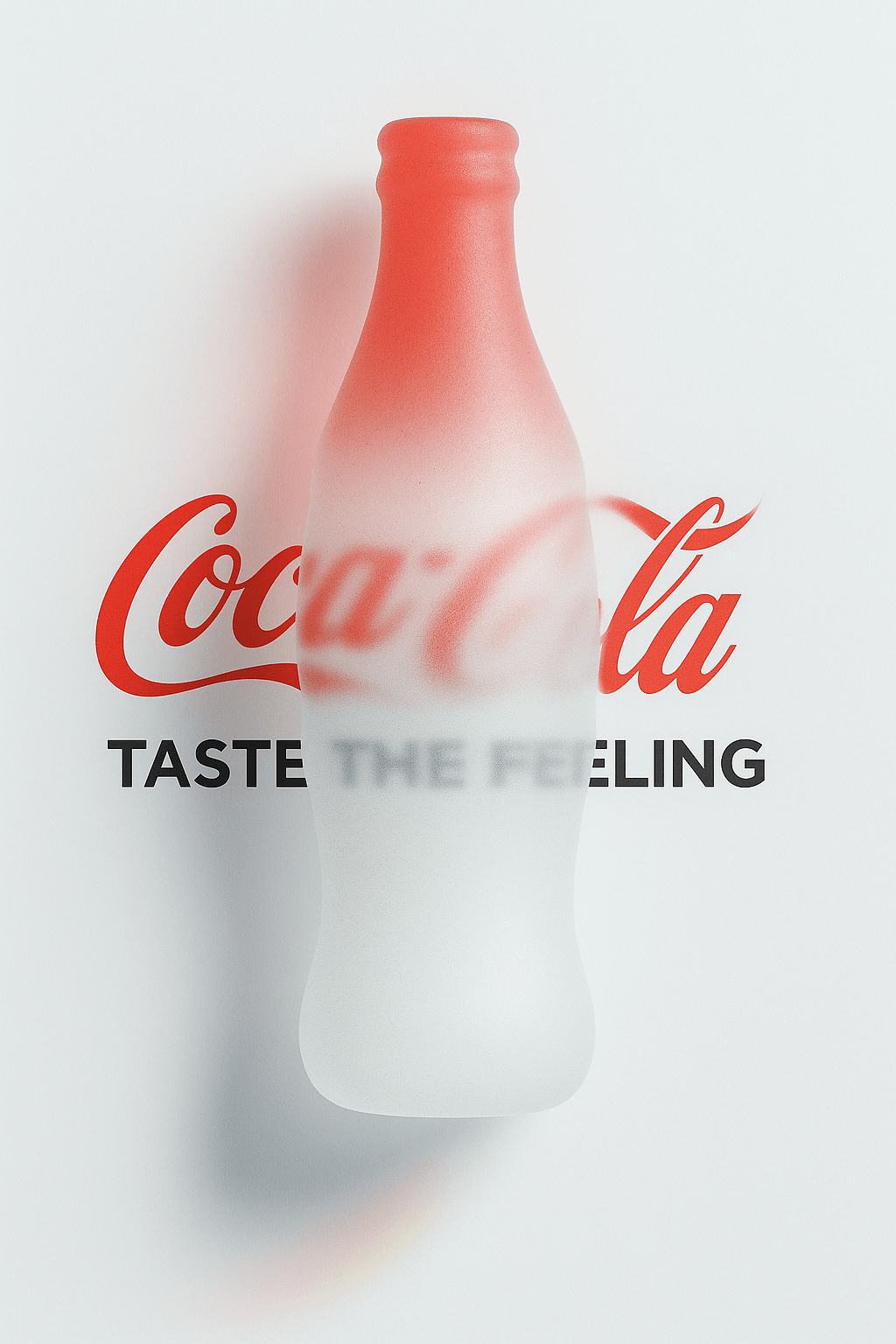
A vertical (3:4) 4K-resolution minimalist futurist exhibition poster with an ultra-light cool gray background (#f4f4f4).

At the center of the poster is a fluid 3D metaball shaped like a classic Coca-Cola bottle in full form, rendered in frosted glass with delicate grainy noise.
The fluid gradient transitions from Coca-Cola Red (#E41C23) to Pearl White (#FFFFFF), giving it a silky glass-like appearance.

High-position softbox lighting casts long, soft colored shadows and a subtle halo.

The fluid overlaps with the text: letters obscured by the frosted glass appear with a gentle Gaussian blur.
•The main title, the classic red “Coca-Cola” logo, is centered and partially obscured by the fluid. The covered letters are slightly blurred through the frosted glass.
•The subtitle, in bold all-caps modern sans-serif pure black font, reads: “TASTE THE FEELING”, placed below the main title. It is also partially overlapped by the fluid and blurred in those areas, while the rest remains sharp.

The overall layout is clean with generous whitespace, balanced composition, sharp focus, and HDR high dynamic range.
Frequently asked questions
Is the Minimalist Futurist Poster prompt free to use?
Yes. The library is free forever. The realtor adaptations are written by the PostAI Editorial Team and licensed for free commercial use. The original prompt is sourced under CC BY 4.0 (where applicable).
What inputs do I need for the Minimalist Futurist Poster prompt?
Check the 'What You Need' section above. Typically you need a relevant photo (your own or the property's), a project / brand name, a one-line headline or tagline, and your contact details.
Can I customise the Minimalist Futurist Poster prompt for my market?
Yes. Replace the bracketed placeholders with details specific to your market — district, price range, project name, language. The prompt structure works equally well for Singapore, Malaysia, Hong Kong, the United States, the United Kingdom and Australia.
Can I produce a multi-language poster?
Yes — explicitly list both languages in the prompt ("bilingual headline in English and Mandarin"). Realtor adaptations for Singapore, Hong Kong and Malaysia regularly include this.
How do I keep the brand consistent across multiple posters?
Lock the color palette and typography style in the prompt and run it across listings. The realtor adaptations explicitly include "[your brand color]" placeholders for this reason.