Hand-Drawn "Buyer Tip" Card — Real Estate AI Prompt
TL;DR: A warm hand-drawn infographic card explaining a single concept — perfect for buyer education or "tip of the week" posts. Use this ChatGPT Image 2.0 prompt to "tip of the week" buyer-education social card. Replace the bracketed inputs with your details, paste into ChatGPT, and download the result.
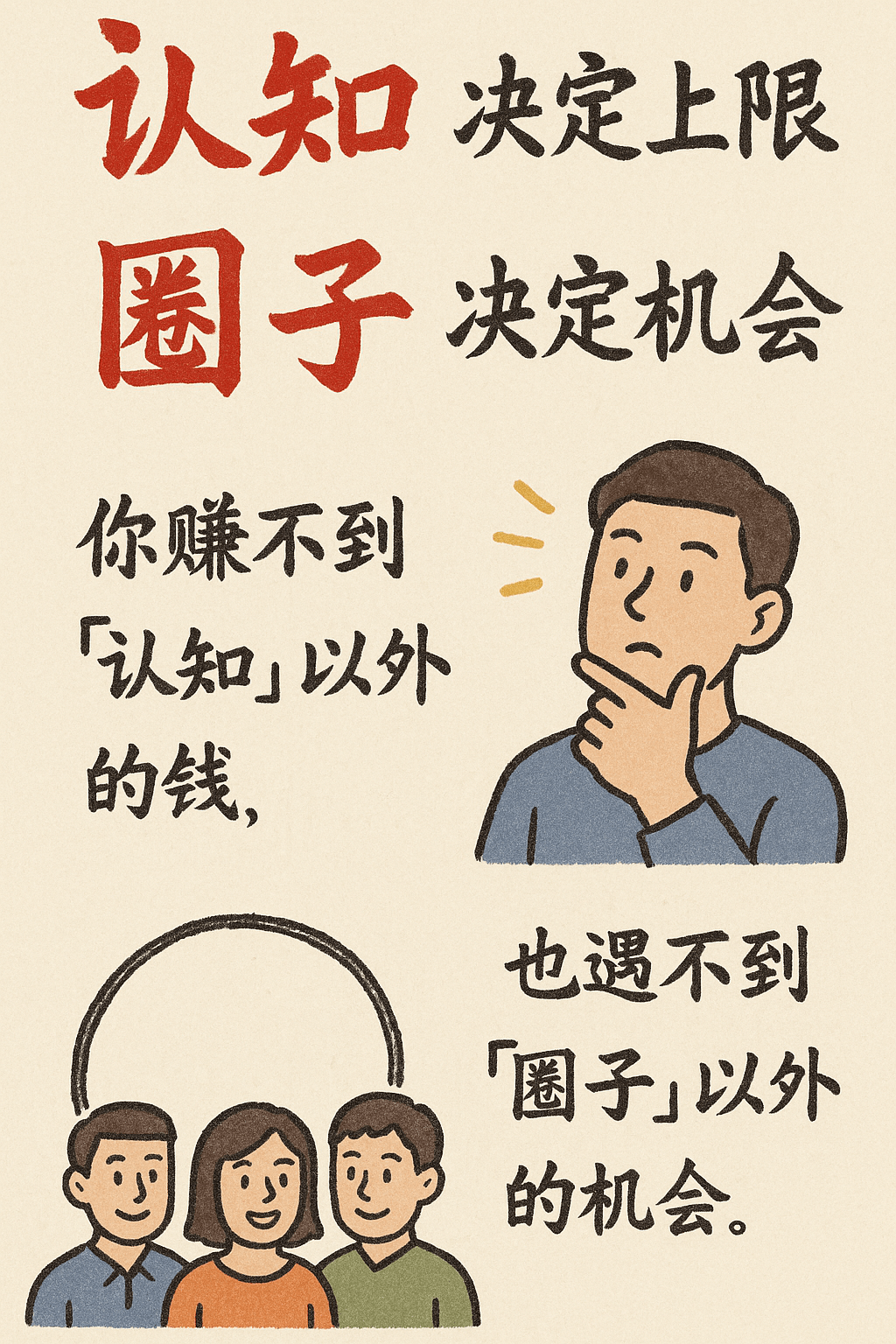
Good for
- "Tip of the week" buyer-education social card
- Glossary card explaining one property concept (TDSR, ABSD, IPA, OTP, etc.)
- Long-form newsletter illustration
What you need
- The concept/topic to explain (one term or idea)
- A 2-3 sentence explanation
- Your name + phone for attribution
The realtor-adapted prompt
Copy the prompt below, paste it into ChatGPT (with image generation enabled), and replace each [your X] placeholder with your real details.
Hand-drawn warm-toned infographic card on cream paper, vertical layout. Top: a hand-drawn title in casual marker style: "[your topic, e.g. What is TDSR?]". Center: a friendly hand-drawn illustration of a person + house + magnifying glass / chart, color-pencil style with rough textures. Below: a 2-3 sentence handwritten-feel explanation: "[your explanation paragraph]". Around the illustration: small hand-drawn arrows, doodle stars, and quick annotations pointing to key parts. Bottom-right corner: small handwritten signature "[your name] · [your phone]". Style: warm textured paper, casual pen + watercolor doodle, 3:4 portrait.
How to use this prompt — step by step
- Open ChatGPT (chat.openai.com) and start a new chat.
- Make sure image generation is enabled (use ChatGPT Plus, Pro or Team).
- Paste the realtor-adapted prompt above into the chat input.
- Replace every
[your X]placeholder with your real details. Don't leave any placeholder unfilled. - Press send and wait 10–30 seconds. Download the generated image.
- (Optional) Generate 2–3 variations and pick the strongest before publishing.
Original prompt
View the original (unmodified) source prompt
Create a hand-drawn style infographic card in vertical 9:16 ratio. The card should have a clear theme, with a beige or off-white paper-textured background. The overall design should convey a rustic, friendly, and handmade aesthetic.

At the top of the card, feature a bold, eye-catching title in large Chinese cursive brush calligraphy using contrasting red and black colors. All text content should be in Chinese cursive script, and the layout should be divided into 2 to 4 clear sections. Each section expresses a core idea with brief and concise Chinese phrases. The cursive font should retain a smooth, rhythmic flow, remaining legible while carrying artistic appeal.

The card should include simple, playful hand-drawn illustrations or icons, such as figures or symbolic elements, to enhance visual interest and spark reader reflection or emotional resonance.

The overall layout should maintain visual balance, with ample white space reserved to ensure clarity, simplicity, and ease of reading and understanding.
<h1><span style="color:red">“Cognition”</span> defines your ceiling
<span style="color:red">“Circle”</span> defines your opportunities</h1>
– You can’t earn money beyond your level of cognition,
– Nor encounter opportunities beyond your social circle.
Frequently asked questions
Is the Hand-Drawn "Buyer Tip" Card prompt free to use?
Yes. The library is free forever. The realtor adaptations are written by the PostAI Editorial Team and licensed for free commercial use. The original prompt is sourced under CC BY 4.0 (where applicable).
What inputs do I need for the Hand-Drawn "Buyer Tip" Card prompt?
Check the 'What You Need' section above. Typically you need a relevant photo (your own or the property's), a project / brand name, a one-line headline or tagline, and your contact details.
Can I customise the Hand-Drawn "Buyer Tip" Card prompt for my market?
Yes. Replace the bracketed placeholders with details specific to your market — district, price range, project name, language. The prompt structure works equally well for Singapore, Malaysia, Hong Kong, the United States, the United Kingdom and Australia.
Will the model render correct floor-plan ratios?
Approximately, not exactly. For exact-scale floor plans, use the AI-generated infographic as a stylised marketing asset and link it to the official spec sheet.
Can I use this for a development's entire site plan?
Yes. Provide a high-level rendering or sketch as input and the prompt will produce a stylised top-down site plan with annotated zones.