Staging Tenanted Units: How to Get Usable Photos
Selling a unit with a tenant still in it is common, and photos are often the hardest part. The tenant's belongings are everywhere, you cannot move them, and you may get one short slot to shoot. This guide covers how to arrange the shoot, what to capture, and how to edit the photos responsibly.
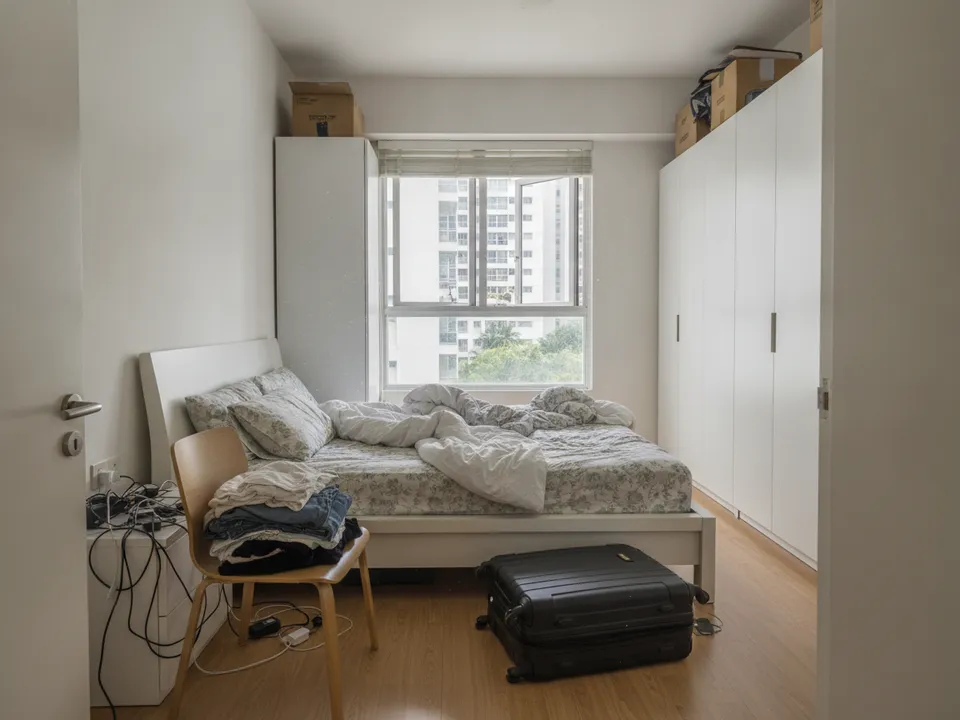
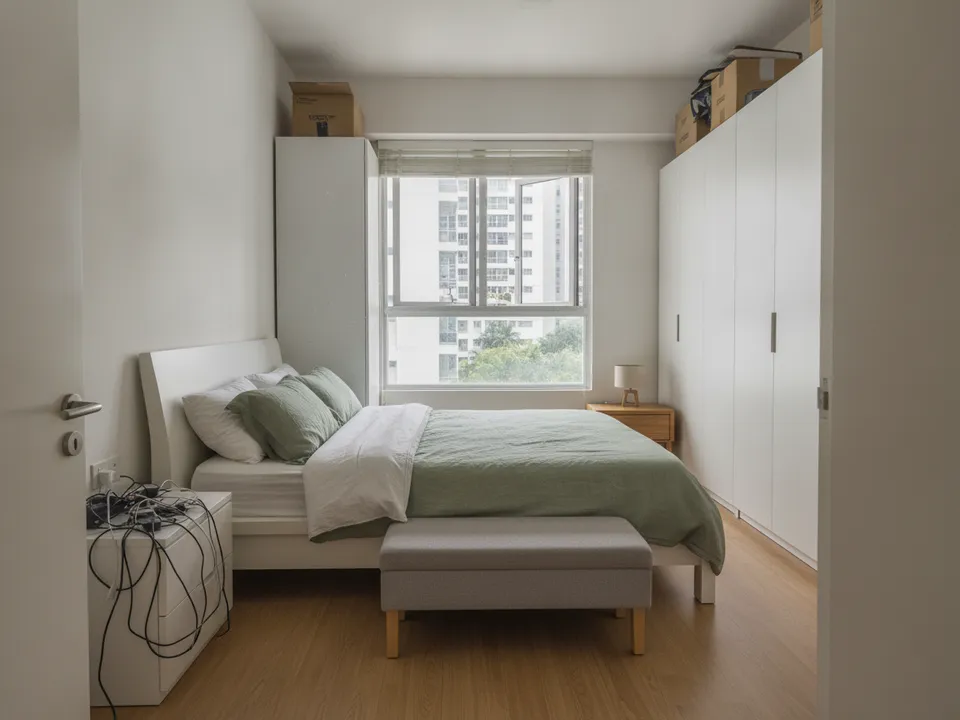
Tenanted condo master bedroom, digitally decluttered and restaged without moving anything Drag to compare. AI-generated example for illustration, not a real listing.
Arrange access the right way
Your client is the owner, so get the owner's written go-ahead for photos and editing first. Then give the tenant reasonable notice and agree a time, as the tenancy agreement usually sets out how viewings and access work. Explain what you will photograph and that personal items will be edited out. A tenant who feels respected is more likely to keep the place tidy for viewings later.
Protect the tenant's privacy
- Ask the tenant to put away documents, photos of family and anything with names on it
- Avoid shooting into wardrobes and personal storage
- Check reflections in mirrors and windows
- Remove anything identifying in editing, including faces in wall photos
- Do not post photos that show which unit number or block the tenant lives in without the owner's agreement
Shoot for editing, not perfection
You will not get a show-flat, so shoot photos that edit well. Stand in the doorway or corner at eye level, open curtains and turn on all lights. Get the full floor in frame where possible. Take an extra shot of each room from a second angle, because one angle may have less clutter to remove.
Declutter first, then decide on staging
Usually the tenant's furniture can stay and only the loose items need removing. If the tenant's furniture is mismatched or worn, declutter and then stage the room. Keep fixed items and defects exactly as they are. PostAI's AI Image Studio does auto decluttering and staging at 1 credit (about S$1.50) per photo, and new accounts get 6 free credits.
Label and disclose
Mark edited images "Virtually staged" or "Digitally decluttered" and keep the originals. Mention in the listing that the unit is tenanted and the tenancy end date if the owner agrees to share it, since that matters to both owner-occupiers and investors. PropertyGuru requires interior photos to show actual condition, so check each portal's rules before using edited photos there.
Stage your own listing photos free
New PostAI accounts get 6 free credits: that is 6 staged photos, no credit card.
Stage 6 photos free See real resultsQuestions agents ask
Do I need the tenant's permission to take photos?
Get the owner's approval and follow the access terms in the tenancy agreement, giving the tenant reasonable notice. In practice, agreeing a time with the tenant goes much more smoothly.
Can I edit out the tenant's furniture?
You can, as long as it does not stay with the unit, and the photo is labelled. Fixed features and defects must remain.
Should I mention the unit is tenanted?
Yes. Buyers need to know, and investors may see an existing tenancy as a plus.
Related
virtual-staging/tenant-consent · v1 · Book a free Zoom walkthrough