Virtual Staging for a Single Room for Rent
Room rentals are decided in seconds on a phone. Tenants compare dozens of common rooms and master rooms, and a dim photo of a mattress against a wall gets skipped. This page shows how to stage a single room so it competes, while matching what the tenant will really get.
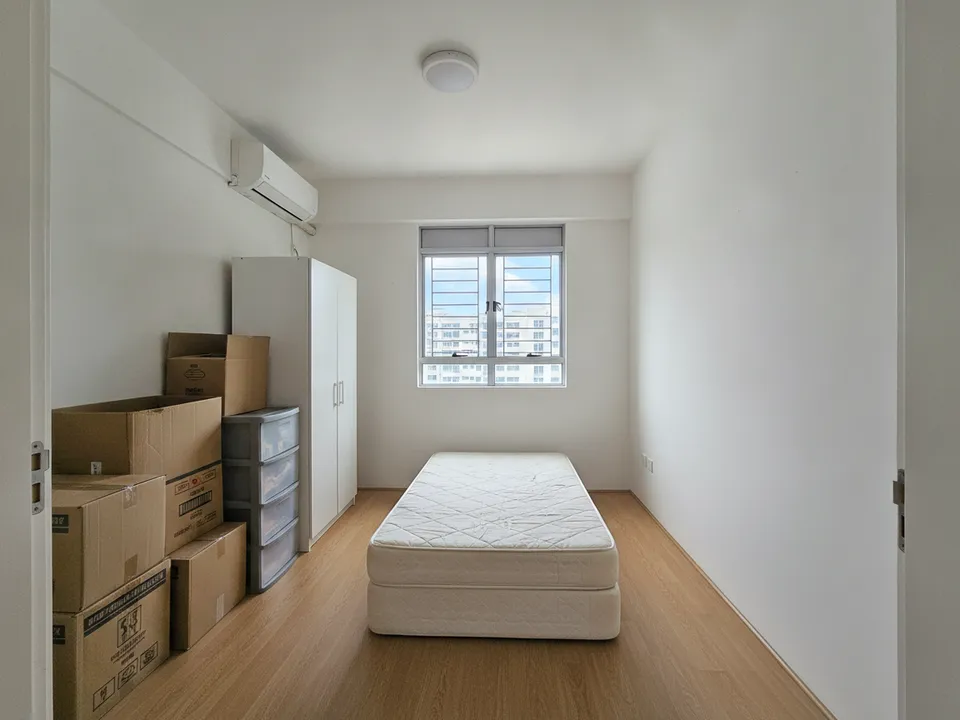
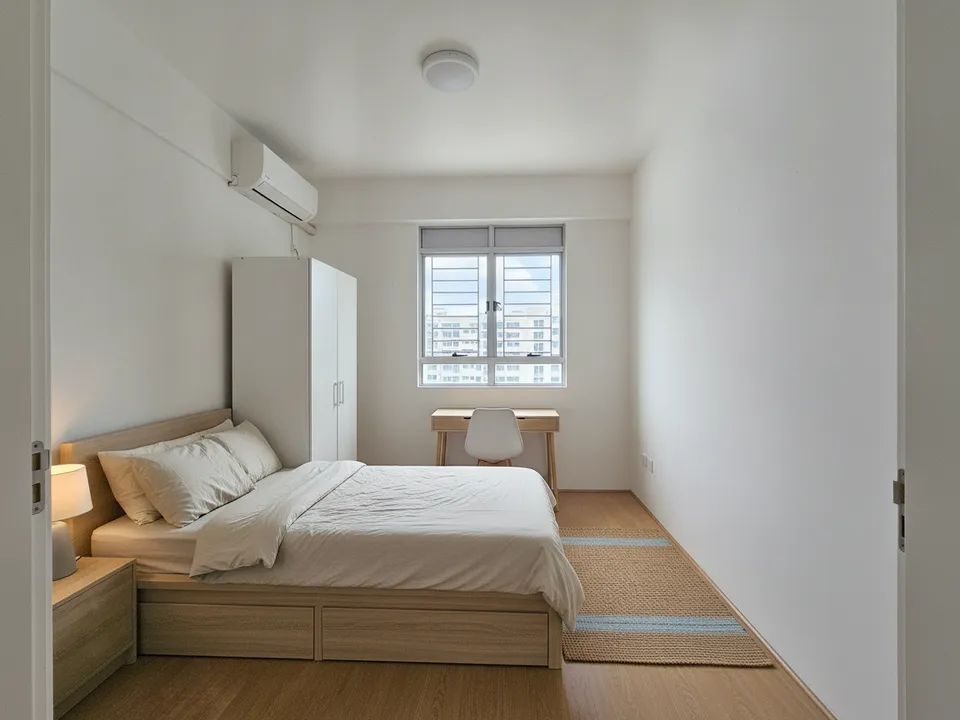
A messy HDB common room for rent, decluttered and staged with the provided furniture Drag to compare. AI-generated example for illustration, not a real listing.
Why room listings need sharper photos
Room seekers, often students, young professionals and new arrivals, filter by price and location, then judge by the photo. Most room listings are shot quickly in poor light, so a clean, bright, staged room stands out.
Room tenants also care about very specific things: is there a proper bed, a desk, wardrobe space, an aircon unit, and is the room next to a shared bathroom? Your photo should answer those before they message you.
Stage exactly what is provided
A room rental usually comes furnished, so staging here is mostly about decluttering and restyling the real furniture, not inventing new pieces. If the landlord is about to buy a bed or desk, stage only those agreed items and caption them.
- Show the bed size truthfully: single, super single or queen
- Include the desk and chair if provided
- Show the wardrobe doors and aircon in frame
- Remove the previous tenant's items and any personal belongings
Two photos per room is enough
Shoot one wide photo from the door showing the whole room and one from the window side showing the bed and desk. Add a real photo of the shared bathroom and kitchen. For a common room in an HDB, mention whether it shares a bathroom; for a master room, show the attached bathroom honestly.
Staging the room with PostAI
Upload the room photo to PostAI's AI Image Studio and use declutter or virtual staging. One photo is one credit, roughly S$1.50, and a new account includes 6 free credits, which covers a couple of rooms with spare tries. Wide-angle correction also helps if your phone made the room look bent.
Mark staged images clearly and include the original. Check rental portal rules on edited photos, since PropertyGuru expects interior photos to show the actual condition. Never change window size, room dimensions or the view.
Stage your own listing photos free
New PostAI accounts get 6 free credits: that is 6 staged photos, no credit card.
Stage 6 photos free See real resultsQuestions agents ask
Can I stage a bigger bed than the one provided?
No. Show the actual bed size, since tenants plan around it.
Do I need to show the shared bathroom?
Yes. Include a real photo of any shared bathroom and the kitchen.
Is staging worth it for a cheap room?
It costs about S$1.50 a photo, and the first 6 photos are free on a new PostAI account.
Should I label staged room photos?
Yes. Mark them as virtually staged and keep the original photo in the listing set.
What if the room has no window?
Say so in the listing. Do not add a window in the edit; brighten the photo and stage the furniture instead.
Related
virtual-staging/room-rental · v1 · Book a free Zoom walkthrough