HDB Bathroom Refresh Virtual Staging: Before & After
Bathrooms are where HDB resale buyers start mentally adding renovation costs. A cramped, poorly lit shot of a common toilet full of bottles tells them to budget for hacking, even when the room is sound. This page explains how far a virtual refresh can honestly go and how to stage the bathroom so buyers judge it fairly.
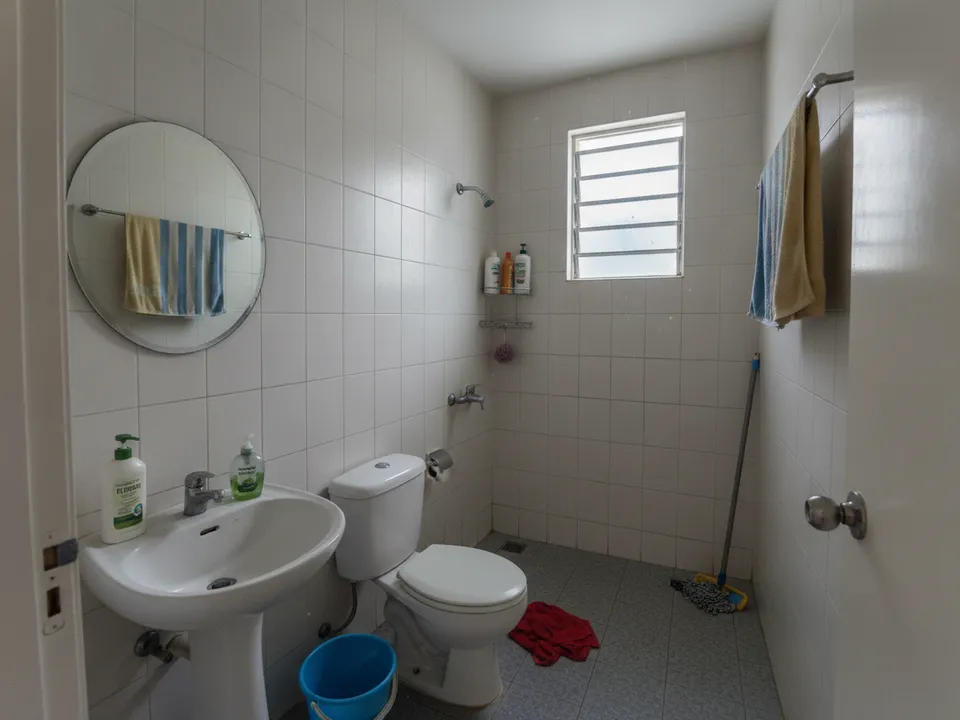
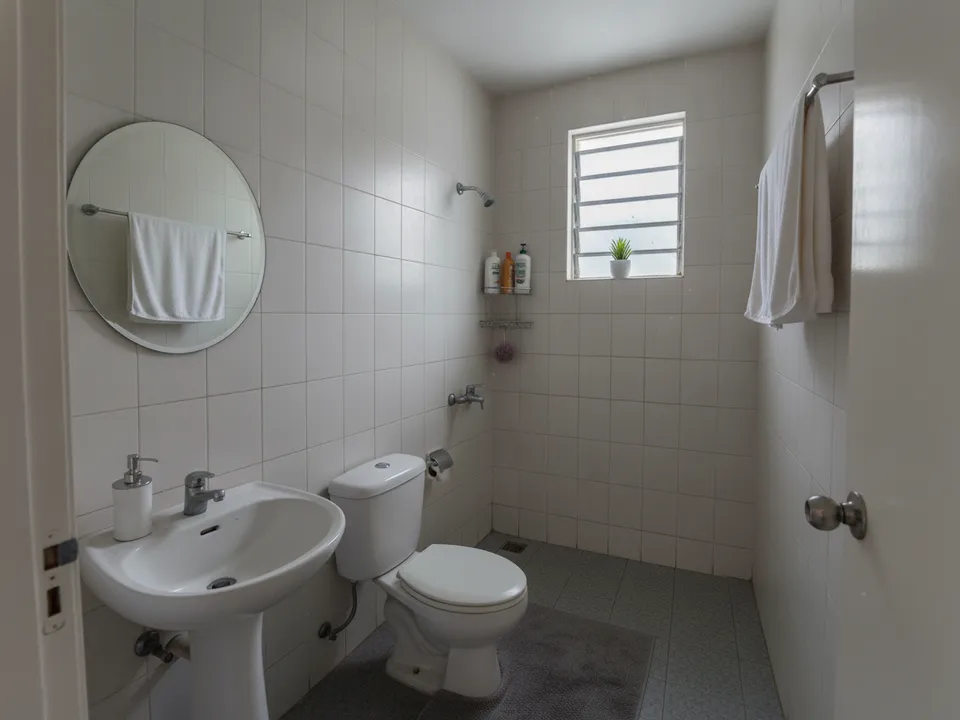
Cluttered HDB common bathroom tidied and styled with towels and a plant, same tiles and fittings Drag to compare. AI-generated example for illustration, not a real listing.
Why bathrooms are different
An HDB bathroom is a small, wet, mostly fixed space: tiles, basin, WC, shower, window and pipes are all part of the unit. Unlike a bedroom, there is almost no furniture to add. That means virtual staging here is mainly about styling and decluttering, not furnishing. Anything that changes tiles, sanitary ware or layout is a renovation concept, and it must be presented as one, separately from the photos of the real room.
What a refresh can show
These are things the buyer would see if the owner simply cleaned and tidied before the viewing, which is why they are fair to show.
- Clutter removed: bottles, buckets, mops, toothbrush cups and towels on every hook
- Fresh white or neutral towels folded on the existing rail
- A bath mat, a small plant on the window ledge and a soap dispenser
- Brighter, more even light from the existing window and ceiling lamp
- A straightened, less distorted view of a narrow room
What not to change
Do not replace old wall tiles, swap a pedestal basin for a vanity cabinet, add a glass shower screen or turn the floor trap into a linear drain unless you label the image as a renovation idea. Never remove stains, cracks or mould that are actually there; buyers and their inspectors will find them, and hiding defects in marketing is exactly the kind of misleading advertising CEA warns about.
If the bathroom genuinely needs renovation, say so. A labelled "renovation concept" image beside the real photo can help a buyer see the potential and plan a budget, which often moves the conversation forward.
How to shoot and stage it
Stand in the doorway, hold the phone at chest height and keep it level so vertical lines stay straight. Turn on every light and open the window. Upload to PostAI's AI Image Studio, run auto declutter, then add light styling, and use wide-angle correction if the lens has bent the walls. Each photo is one credit, about S$1.50, and the first 6 are free for new accounts. A refreshed bathroom shot costs far less than the deep clean most owners keep postponing.
Labelling
Mark the styled image "Virtually styled" or "Virtually staged" and show the original next to it. PropertyGuru requires interior photos to reflect actual condition, so check each portal's rules before using the edited image as a listing photo. In social posts and tour videos, labelled before-and-after pairs work well.
Stage your own listing photos free
New PostAI accounts get 6 free credits: that is 6 staged photos, no credit card.
Stage 6 photos free See real resultsQuestions agents ask
Is it acceptable to change bathroom tiles in a staged photo?
Only if the image is clearly labelled as a renovation concept and shown alongside the real photo. As a listing photo of the current unit, the tiles must stay as they are.
Should I include the bathroom in the listing at all?
Yes, buyers expect to see it, and leaving it out makes them assume the worst. A tidy, well-lit, honest photo is better than none.
Which bathroom should I photograph first?
Start with the master bathroom if it is in better condition, then the common one. Use the same angle and lighting so the two look consistent.
Related
virtual-staging/hdb-bathroom · v1 · Book a free Zoom walkthrough