Celebrity Livestream Concept — Real Estate AI Prompt
TL;DR: A simple instruction to generate a surprise YouTube livestream scene for a specific celebrity. Use this ChatGPT Image 2.0 prompt to live property tour video thumbnail. Replace the bracketed inputs with your details, paste into ChatGPT, and download the result.
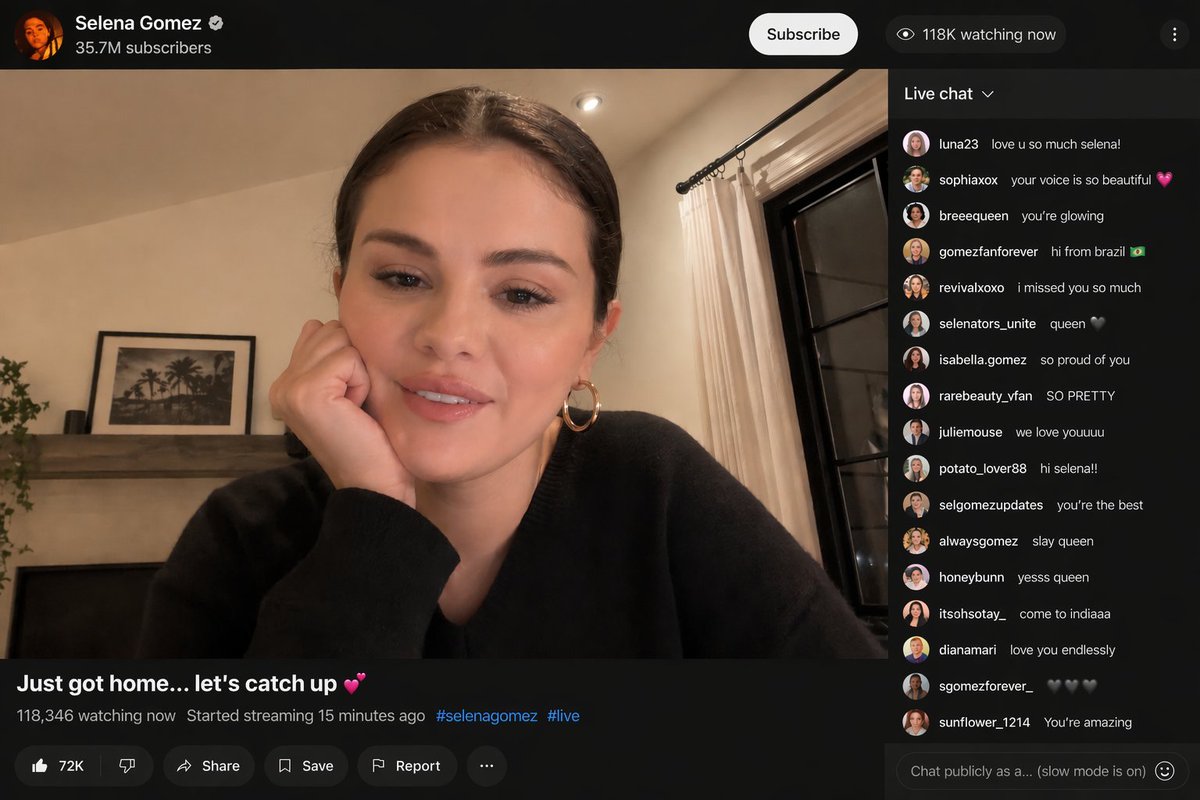
Good for
- Live property tour video thumbnail
- YouTube / IG Live cover image
- Webinar invite cover
What you need
- Your photo (presenter)
- A photo of the property (background)
- Live show title
The realtor-adapted prompt
Copy the prompt below, paste it into ChatGPT (with image generation enabled), and replace each [your X] placeholder with your real details.
Bold YouTube-style live-stream thumbnail. Foreground: [your photo of yourself], cropped chest-up, slightly overexposed, holding a phone or microphone. Background: [your property photo], slightly blurred, with a red "LIVE" badge top-left. Large text overlay (yellow with black outline): "[your title, e.g. INSIDE THIS $5M PENTHOUSE]". Bottom right small: "[your name] · [your phone]". Style: high-contrast, eye-grabbing, MrBeast/IG-Live aesthetic. 16:9 horizontal.
How to use this prompt — step by step
- Open ChatGPT (chat.openai.com) and start a new chat.
- Make sure image generation is enabled (use ChatGPT Plus, Pro or Team).
- Paste the realtor-adapted prompt above into the chat input.
- Replace every
[your X]placeholder with your real details. Don't leave any placeholder unfilled. - Press send and wait 10–30 seconds. Download the generated image.
- (Optional) Generate 2–3 variations and pick the strongest before publishing.
Original prompt
View the original (unmodified) source prompt
{argument name="celebrity" default="selena gomez"} started a surprise {argument name="platform" default="youtube"} livestream.Frequently asked questions
Is the Celebrity Livestream Concept prompt free to use?
Yes. The library is free forever. The realtor adaptations are written by the PostAI Editorial Team and licensed for free commercial use. The original prompt is sourced under CC BY 4.0 (where applicable).
What inputs do I need for the Celebrity Livestream Concept prompt?
Check the 'What You Need' section above. Typically you need a relevant photo (your own or the property's), a project / brand name, a one-line headline or tagline, and your contact details.
Can I customise the Celebrity Livestream Concept prompt for my market?
Yes. Replace the bracketed placeholders with details specific to your market — district, price range, project name, language. The prompt structure works equally well for Singapore, Malaysia, Hong Kong, the United States, the United Kingdom and Australia.
What's the ideal text length on a thumbnail?
4–6 words. Anything longer is unreadable on mobile preview. Save the detail for the title field.
Can I use stock listing photos as the background?
Yes, but better is to use the actual unit photo from your video — viewers expect the thumbnail to match what they see in the first 3 seconds.