New launch or landed — a cinematic reel in three steps.
Drop in the developer's brochure, a few photos or an empty plot. Review the storyboard and press Create. You present it yourself, standing in the scene — no filming, no prompting.
One photo, brochure or plot in. A finished reel out.
New Launch Reel
From one developer PDF: the site turns into the finished towers, schools and parks are woven in, and you sign off on the balcony.
Landed Reel · photos
Upload photos of an existing landed house or an empty plot, describe the new home, and watch it rebuilt on screen.
Landed Reel · brochure
No house to film yet? Upload the e-brochure and PostAI builds the finished home, inside and out, with you presenting it.
Magic Reel
Show buyers what an empty or dated unit could become. AI generates the motion between the room today and its renovated, lived-in version — about 95 minutes by hand, under 5 here.
Walk-In Reel
Any single photo — a room, the condo entrance, a park. You step into it, walk through and talk.
Floor Plan Tour
One flat floor plan becomes a 3D layout of the unit, then a room-by-room walkthrough.
Plot Reel & Remake
A Google Earth screenshot of an empty site becomes the tower rising — and Remake rebuilds a reference video's style for your launch.
Watch a Landed Reel being made from one brochure
Import, review the storyboard, create — or tap a step.
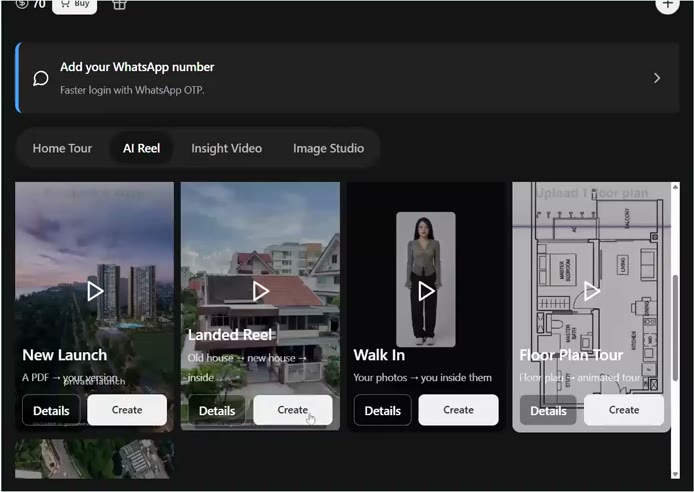
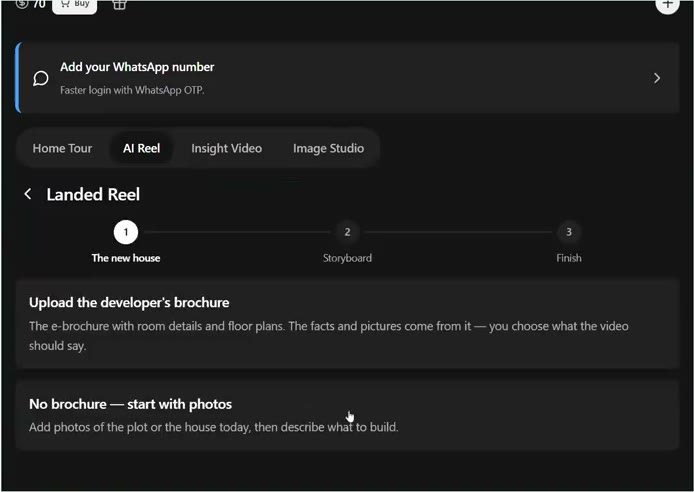
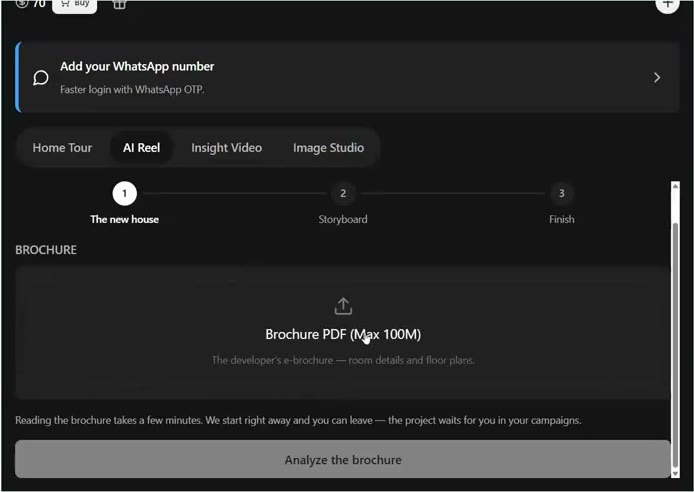
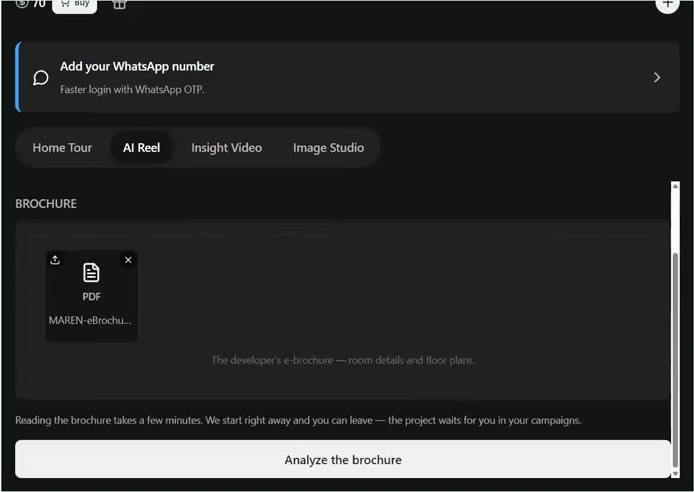
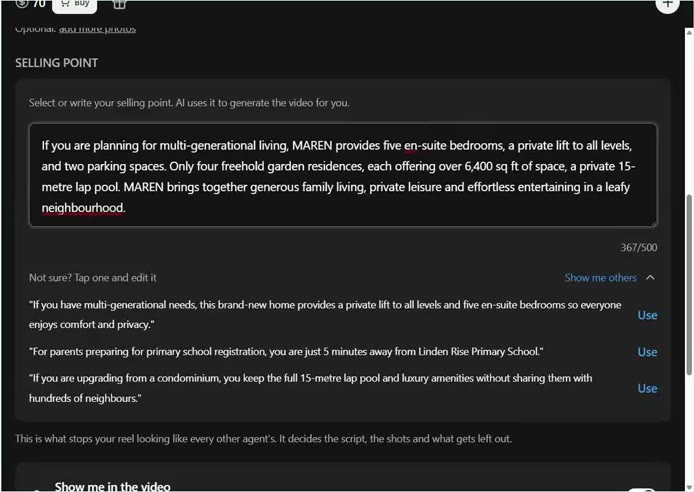
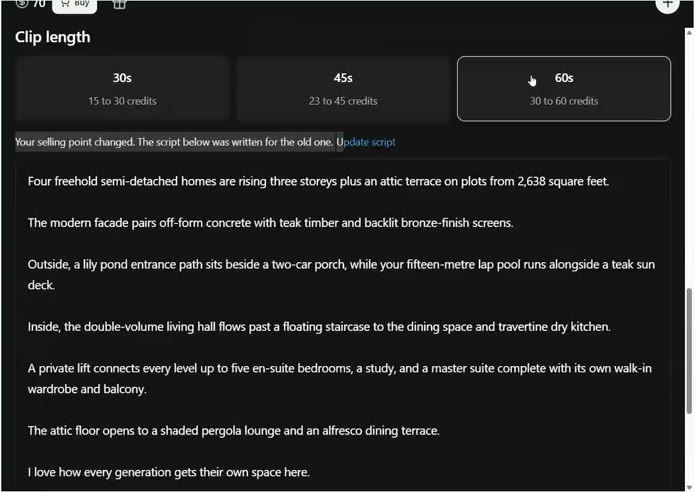
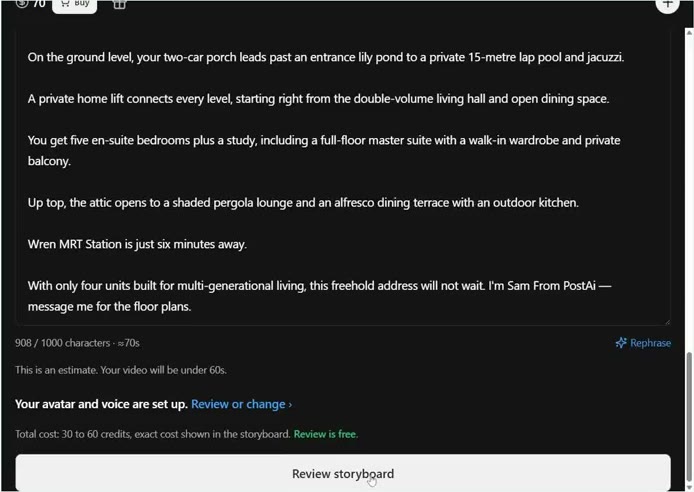
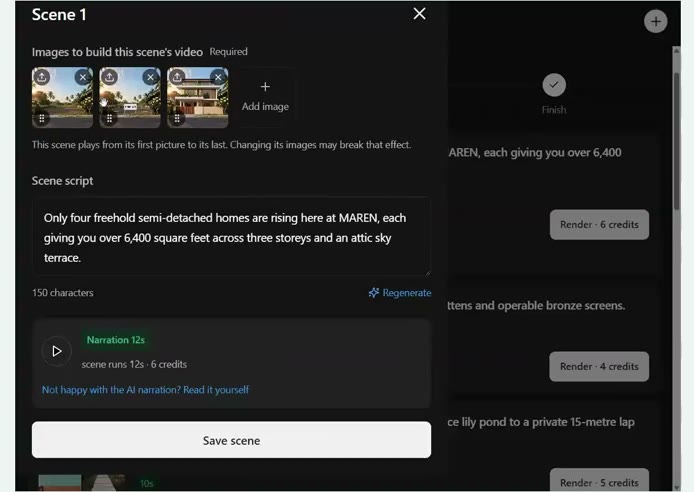
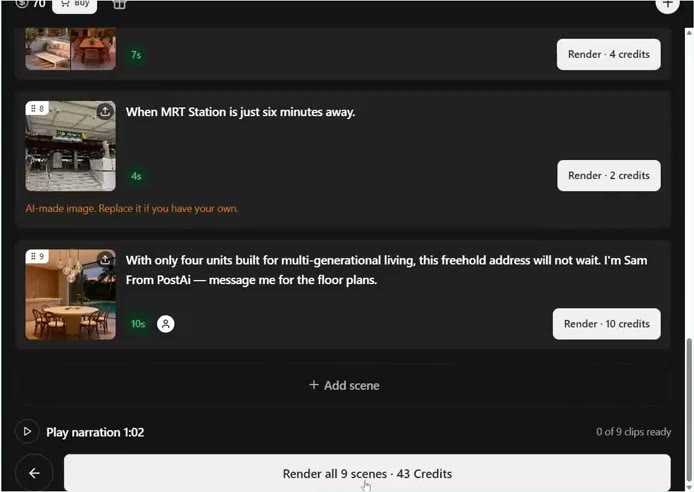
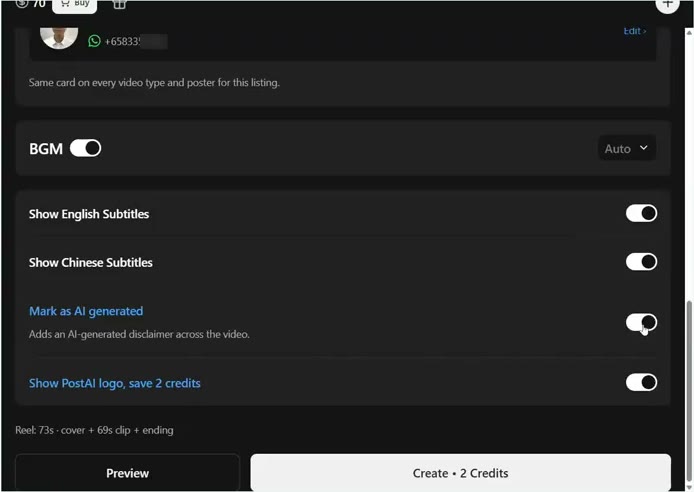
Choose the reel type
The AI drafts it. You decide every scene.
Up to 4 images a scene
The AI transforms one into the next — an empty site grows into the finished building.
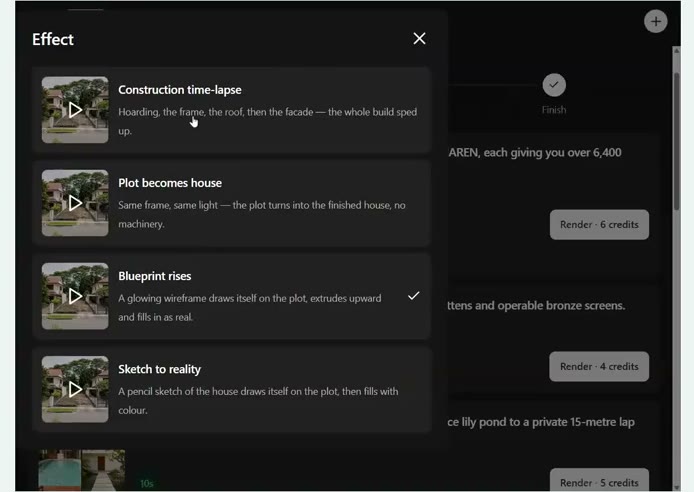
Effects, no prompts
Construction time-lapse, plot becomes house, blueprint rises, sketch to reality.
You, where it fits
Switch yourself on or off per scene. Lip-synced to your script in your cloned voice.
Focus the story
Add photos and tell the AI to spend 20% on the penthouse — or paste a reference video to match its style.
Real AI Reels
Questions agents ask
What do I need to make a New Launch Reel?
Just the developer's brochure PDF. PostAI reads it, pulls out the images and selling points, writes the script and builds the storyboard. You can add your own photos — say, nearby schools — and tell it how much of the video to spend on them.
Can I make a Landed Reel without a brochure?
Yes. Upload photos of the plot or the existing house, describe the new home, and PostAI generates the exterior and builds the reel.
How are AI Reels charged?
Scenes are charged by length: one credit per second for scenes you appear in, and one credit per two seconds for the rest. Keeping the small PostAI logo on saves 2 credits.
Can I edit a scene after the AI builds it?
Yes. Each scene holds up to four images that transform one into the next. Add, replace or reorder images, pick a different effect, regenerate the line, and choose whether you appear in it.
Do I need to write prompts for the effects?
No. Pick an effect or a style — renovation, lifestyle, declutter, atmosphere or landed — and PostAI writes the prompt for you.
Can I use a reel inside a Guided Home Tour?
Yes. Export any reel as a clip and drop it into a Guided Home Tour as a scene.
Got a brochure? Your reel is three steps away.
Upload it, review the storyboard, press Create.
Start free — 6 credits