Staging High-Floor Units to Sell the View
On a high floor, buyers are often paying extra for the view, the breeze and the light. But listing photos frequently show a blown-out white window or furniture blocking the outlook. This page covers how to shoot and stage high-floor units so the view does the selling, without overstating it.
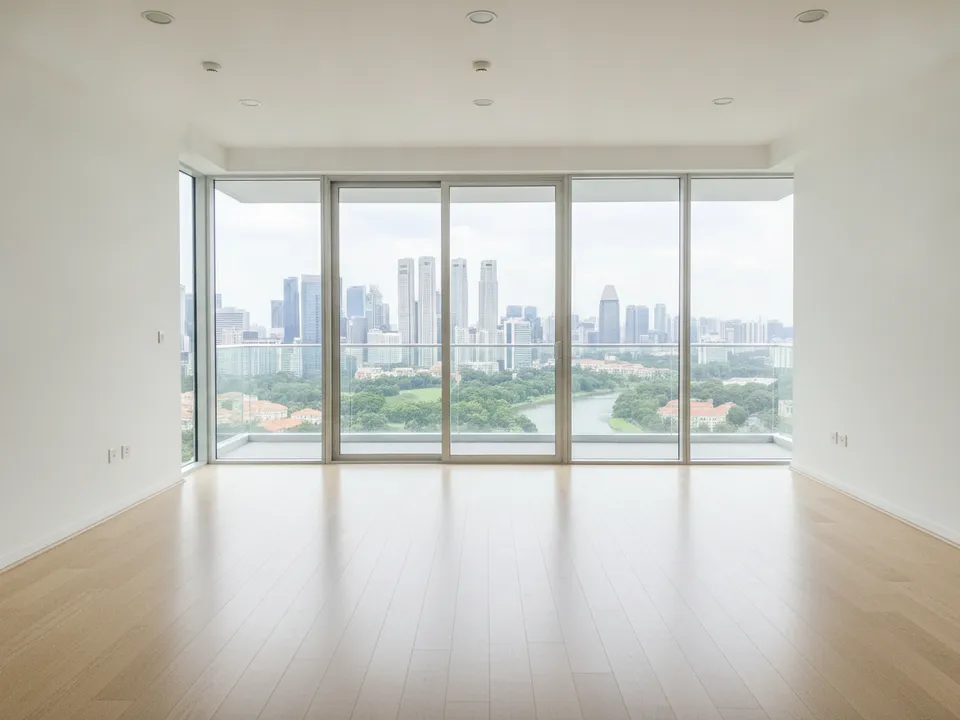
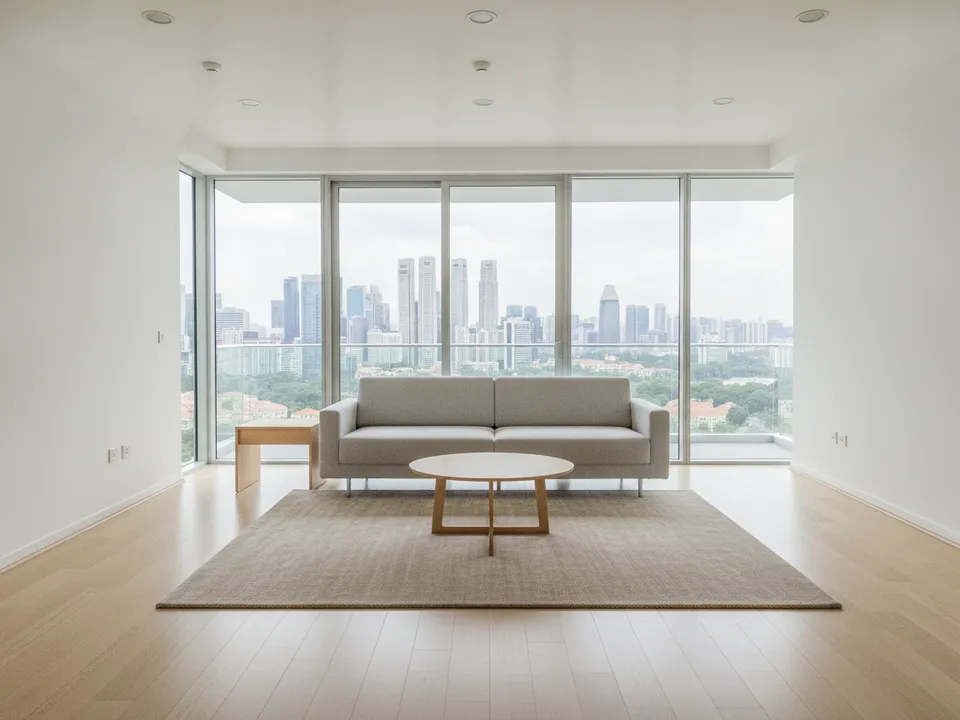
Empty high-floor condo living room with city view, staged with low furniture facing the window Drag to compare. AI-generated example for illustration, not a real listing.
Expose for the window
Phone cameras usually expose for the room and turn the window white. Tap on the window to set exposure, then brighten the room slightly, or shoot on a bright overcast day when the difference is smaller. HDR mode helps. Take one photo standing close to the window that shows only the view, as proof of what is outside.
Place furniture to face the view
Stage the room so the main seating faces the window, with low pieces that do not cut across the glass. A low sofa with its back to the camera, a low coffee table and a rug lead the eye straight to the view. Avoid tall shelves, bulky armchairs or curtains drawn across the window.
- Living room: low sofa facing the window, nothing taller than the sill
- Master bedroom: bed facing or beside the window, not blocking it
- Balcony: two chairs and a small table angled towards the outlook
- Dining: table along the window so meals come with the view
Never change the view
Do not remove the block opposite, add sea or greenery, clear haze, or make a partial view look unblocked. The view is the product here, and CEA expects advertising not to be misleading. If the view is partly blocked, frame the open part honestly and describe it accurately, such as "unblocked north-facing view over the park" only when that is true.
Label and keep originals
Label staged photos "Virtually staged" and keep the original in the set. PropertyGuru requires interior photos to show the actual condition, so check each portal's rules before using staged images; on social posts, brochures and videos they work when labelled.
Stage it with PostAI
AI Image Studio stages the room while keeping the window and view exactly as shot, at 1 credit (about S$1.50) per photo. New accounts get 6 free credits, enough for the living room, master bedroom and balcony with spares.
Stage your own listing photos free
New PostAI accounts get 6 free credits: that is 6 staged photos, no credit card.
Stage 6 photos free See real resultsQuestions agents ask
How do I stop the window going white in photos?
Tap on the window to set exposure, use HDR, and shoot when the light outside is not much brighter than inside.
Can I remove a block that partly blocks the view?
No. The view must stay exactly as it is; describe it honestly instead.
What furniture works best for view units?
Low pieces that face the window and stay below the sill, so nothing cuts across the outlook.
Should I stage the balcony of a high-floor unit?
Yes, lightly. Two chairs and a small table angled towards the view help buyers picture using it, as long as the glass and railing stay unchanged.
Related
virtual-staging/high-floor-view · v1 · Book a free Zoom walkthrough