AI Virtual Staging Tools for Singapore Agents: What to Compare
There are many AI staging tools, and most demo well on spacious overseas homes. A Singapore agent needs one that works on HDB flats, compact condos and narrow terraces. Instead of a ranking, here are the criteria that matter, and how to test any tool on your own listing in under an hour.
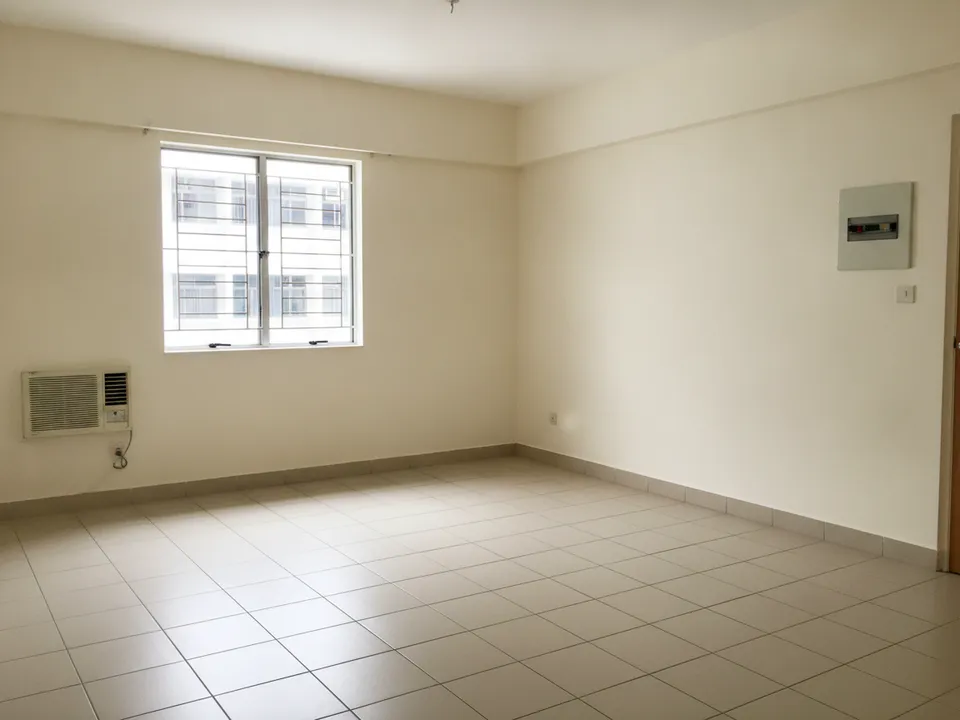
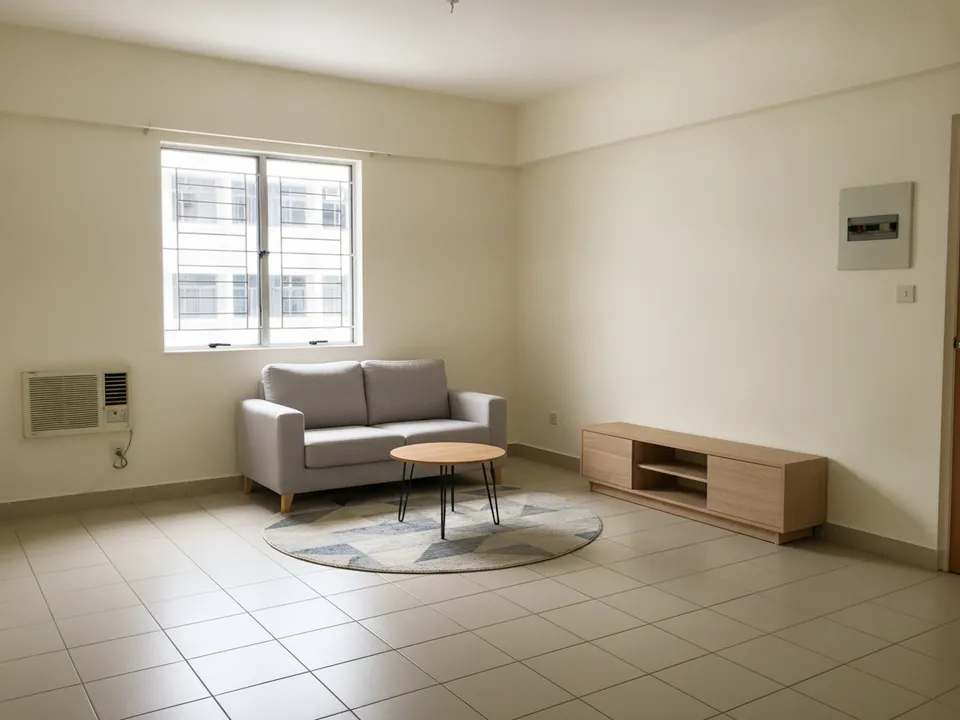
A test photo for comparing tools: compact HDB 3-room living room with fixed features to check Drag to compare. AI-generated example for illustration, not a real listing.
1. Does it keep the room exactly as it is?
The most important test. Some tools quietly move windows, widen rooms, change floor tiles or replace the view. That turns a staged photo into a misleading one. Run the same photo through each tool and compare the walls, windows, floor and ceiling line by line with the original.
2. Does furniture fit Singapore room sizes?
Check scale on a common bedroom of an HDB flat and a condo living room. Look for super single beds where they belong, sofas that leave walking space, and dining tables that fit the area. Tools trained on large homes tend to oversize everything.
3. Pricing model
Compare how you pay against how you list. Subscription plans can suit agents with steady volume; pay-per-photo suits agents with uneven months. Work out the cost of staging a typical listing of 6 to 10 photos, and check whether re-runs or variations cost extra and whether there is a free trial without a credit card.
4. The tools around staging
Listing photos rarely need staging alone. Check whether the tool also offers:
- Decluttering for occupied and tenanted units
- Wide-angle correction and image scale-up for phone photos
- 2D floor plan to 3D render
- Collage covers for portals and social posts
- A way to turn photos into a tour video
5. Speed, labelling and your workflow
How long from upload to result, can you use it on your phone at the unit, and can you add a "Virtually staged" label easily? Whatever tool you use, label staged photos, keep the originals, and never use staging to hide defects. PropertyGuru requires interior photos to show actual condition, so check each portal's rules regardless of the tool.
How PostAI fits these criteria
PostAI was built for Singapore agents. AI Image Studio covers staging, decluttering, Showroom mode, floor plan to 3D, wide-angle correction, collage cover and scale-up, at 1 credit per photo (about S$1.50). Staged photos can go straight into a Guided Tour or Beat Tour with you on camera as an AI avatar. New accounts get 6 free credits with no credit card, so you can run the tests above on a real listing.
Stage your own listing photos free
New PostAI accounts get 6 free credits: that is 6 staged photos, no credit card.
Stage 6 photos free See real resultsQuestions agents ask
What is the best AI virtual staging tool in Singapore?
The one that keeps your rooms unchanged, scales furniture for local homes, and fits your listing volume and budget. Test on your own photos rather than demo images.
How do I test a tool quickly?
Run the same three photos, a living room, a common bedroom and a kitchen, through each tool and compare fixed features, scale and realism.
Do AI staging tools handle the legal side?
No tool does that for you. Labelling, keeping originals and following CEA expectations and portal rules is the agent's responsibility.
Related
virtual-staging/ai-tools-compared · v1 · Book a free Zoom walkthrough