Before Renovation: Show Buyers What the Home Could Become
Many resale homes need renovation, and buyers struggle to see past old kitchens and tired finishes. A clearly labelled concept image of the room after renovation helps them imagine the result and budget for it. This page explains how to use concept images responsibly next to your real listing photos.
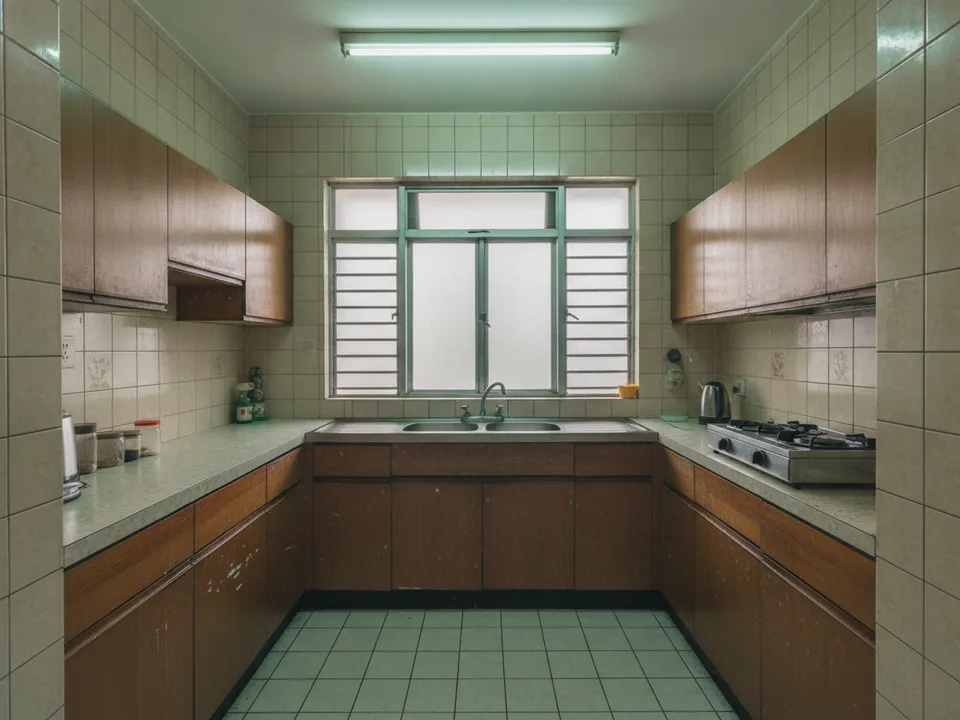
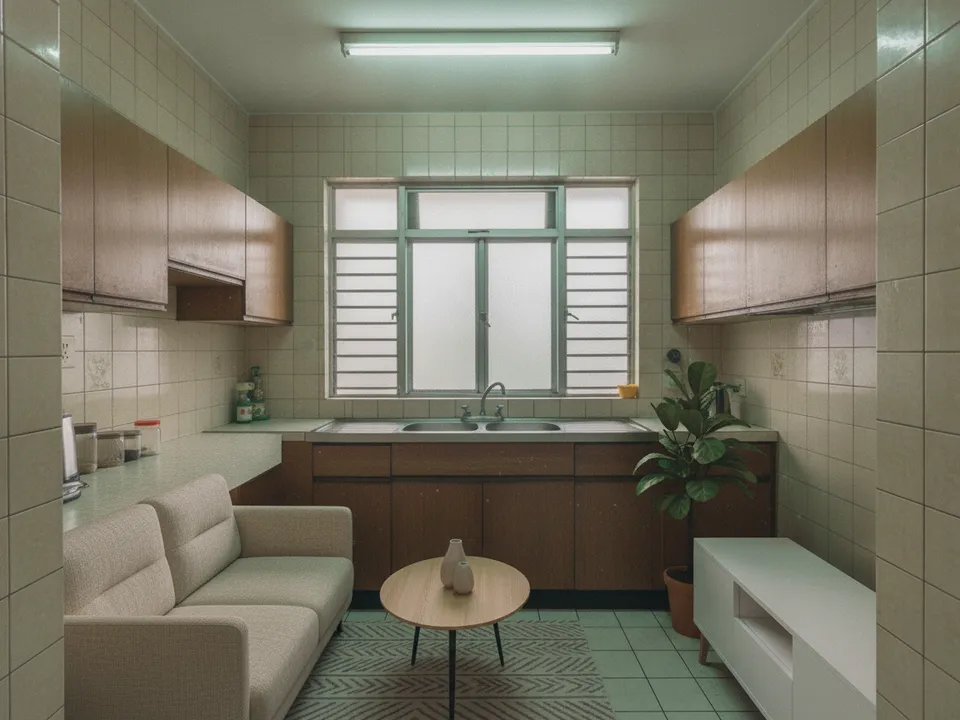
A dated HDB kitchen shown as it is and as a labelled renovation concept Drag to compare. AI-generated example for illustration, not a real listing.
When a concept image helps
Concept images are useful when the space is good but the finishes are not: an older 4-room flat with a solid layout, a landed home with dated tiles, or a condo with a 20-year-old kitchen. Buyers who are open to renovating often need a nudge to see the potential.
They are less helpful when the problem is the layout itself, such as a small kitchen or no natural light. A concept cannot fix that, and showing one may set false expectations.
Concept versus staging
Ordinary virtual staging adds furniture and keeps all fixed features. A renovation concept goes further and shows new flooring, a new kitchen or a feature wall, so it must be treated differently.
Keep the concept separate from the listing photos, label it on the image or caption as "Renovation concept, for illustration only", and always place the real photo next to it. Never use a concept as the cover photo.
What to show in a concept
- Realistic finishes a typical buyer could afford, such as vinyl flooring and laminate cabinets
- The same layout, windows and room size as the real photo
- No knocked-down walls unless you have checked they are not structural and say so
- One or two rooms only, usually the living area and kitchen
Creating it with PostAI
PostAI's AI Image Studio has a Showroom mode that gives photos a polished, magazine-style look, alongside virtual staging and decluttering. One credit per photo, and new accounts start with 6 free credits, so you can create a concept for the living room and kitchen and still stage the bedrooms.
PropertyGuru expects interior photos to show the actual condition, so concept images do not belong among listing photos. Use them in WhatsApp follow-ups, brochures, social posts and videos, clearly labelled. CEA expects advertising not to mislead, so the real condition must always be visible.
Stage your own listing photos free
New PostAI accounts get 6 free credits: that is 6 staged photos, no credit card.
Stage 6 photos free See real resultsQuestions agents ask
Can I put a renovation concept in my PropertyGuru photos?
Interior listing photos are expected to show actual condition, so keep concepts out of them and use them in social posts, brochures and videos instead.
How should I label a concept image?
Use a clear label such as "Renovation concept, for illustration only" and show the real photo beside it.
Should the concept include knocking down walls?
Avoid it unless you have checked the wall is not structural, and say that approvals may be needed.
Is a concept the same as virtual staging?
No. Staging adds furniture only; a concept changes finishes, so it needs stronger labelling.
Related
virtual-staging/after-renovation-reno-free · v1 · Book a free Zoom walkthrough